Canada
 United States
 Bahamas












Pay processing
Review the pay run and payroll register before closing. Check earnings, deductions and net pay against the approved inputs.
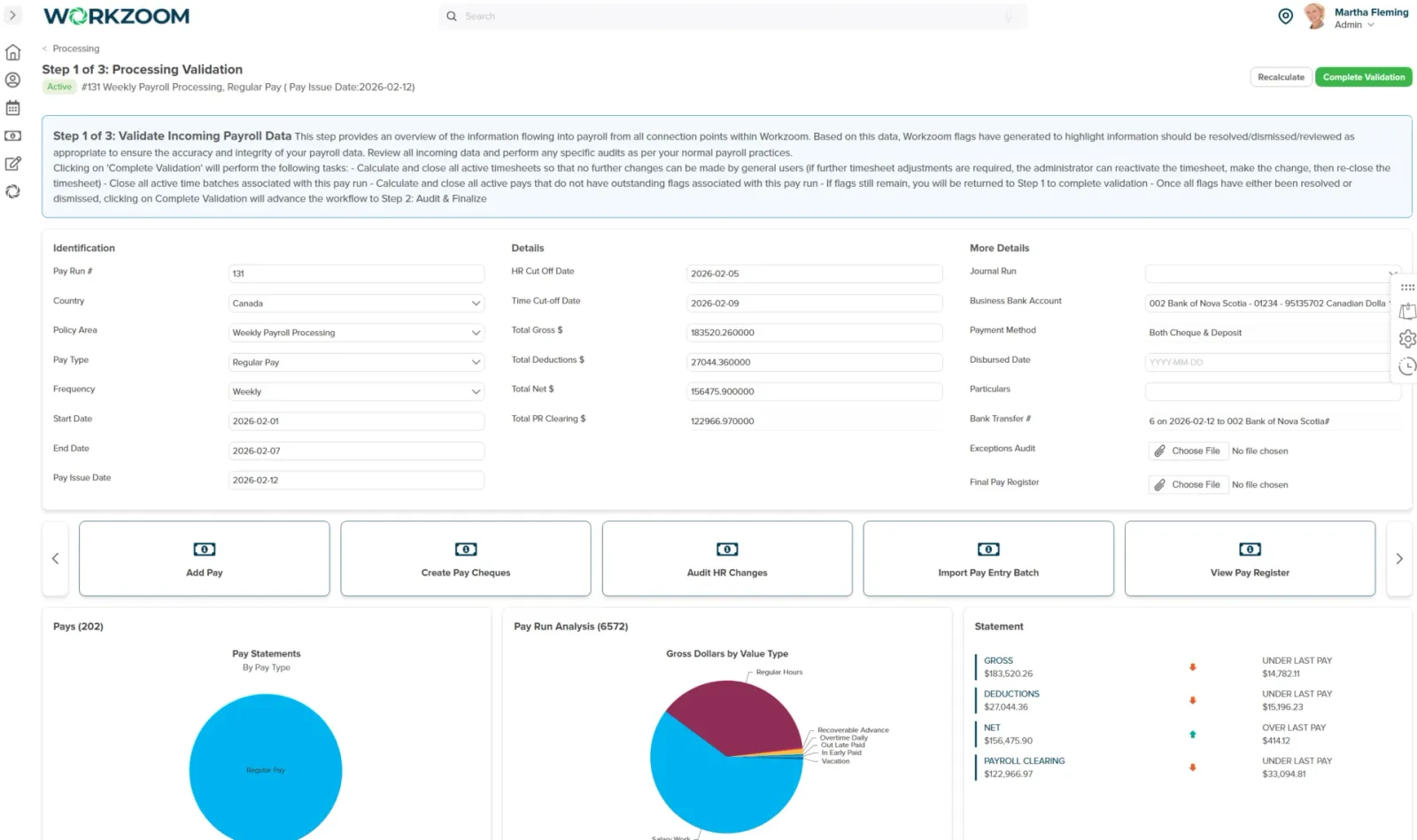
Bring approved time, pay changes and Canadian payroll together on one employee record.
Our clients
Real product screens from the Workzoom payroll software that runs Canadian payroll for Northern Sunrise County, Silvera for Seniors, and other Canadian employers.
Pay processing
Reporting
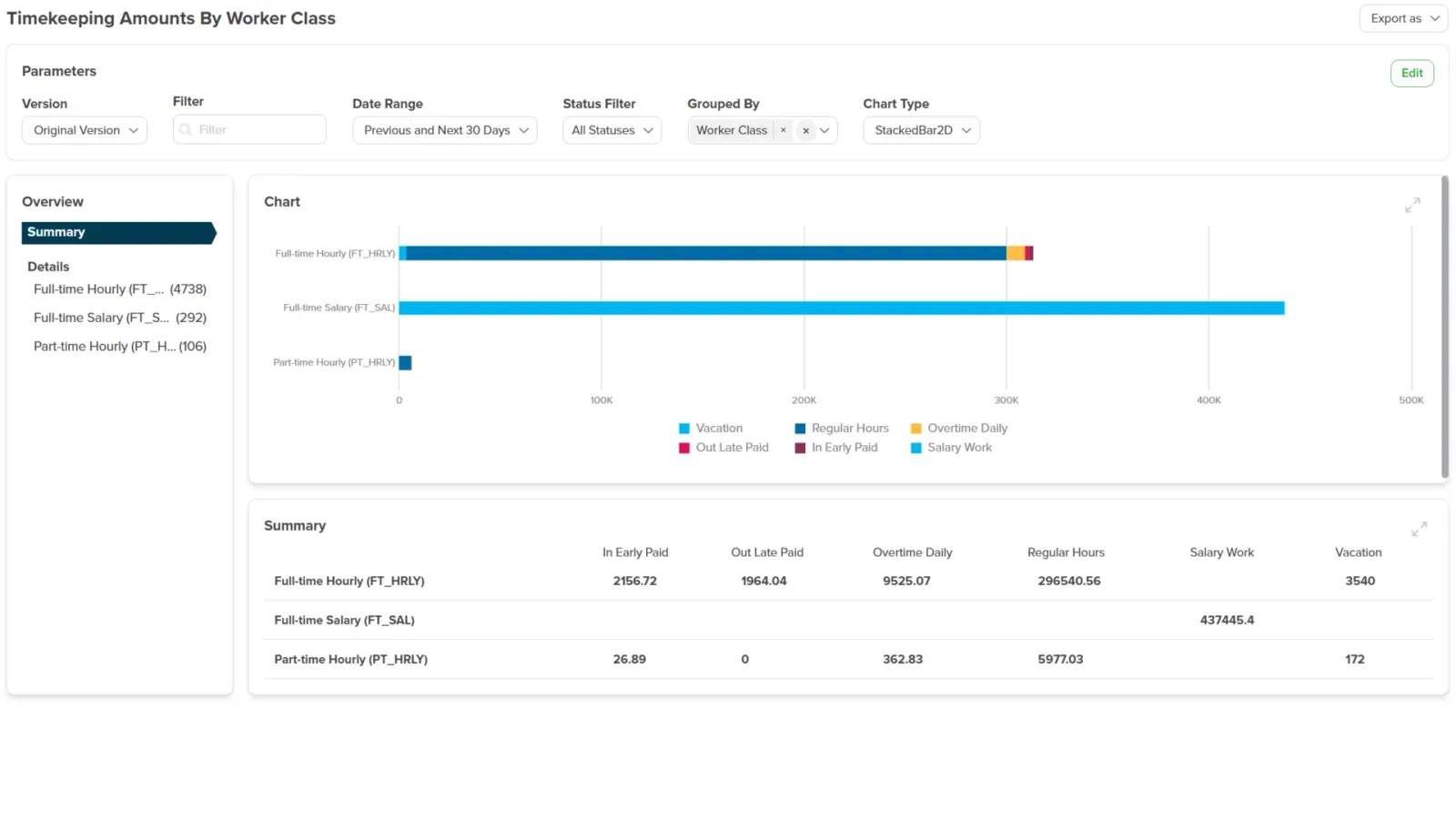
Benefits and expenses
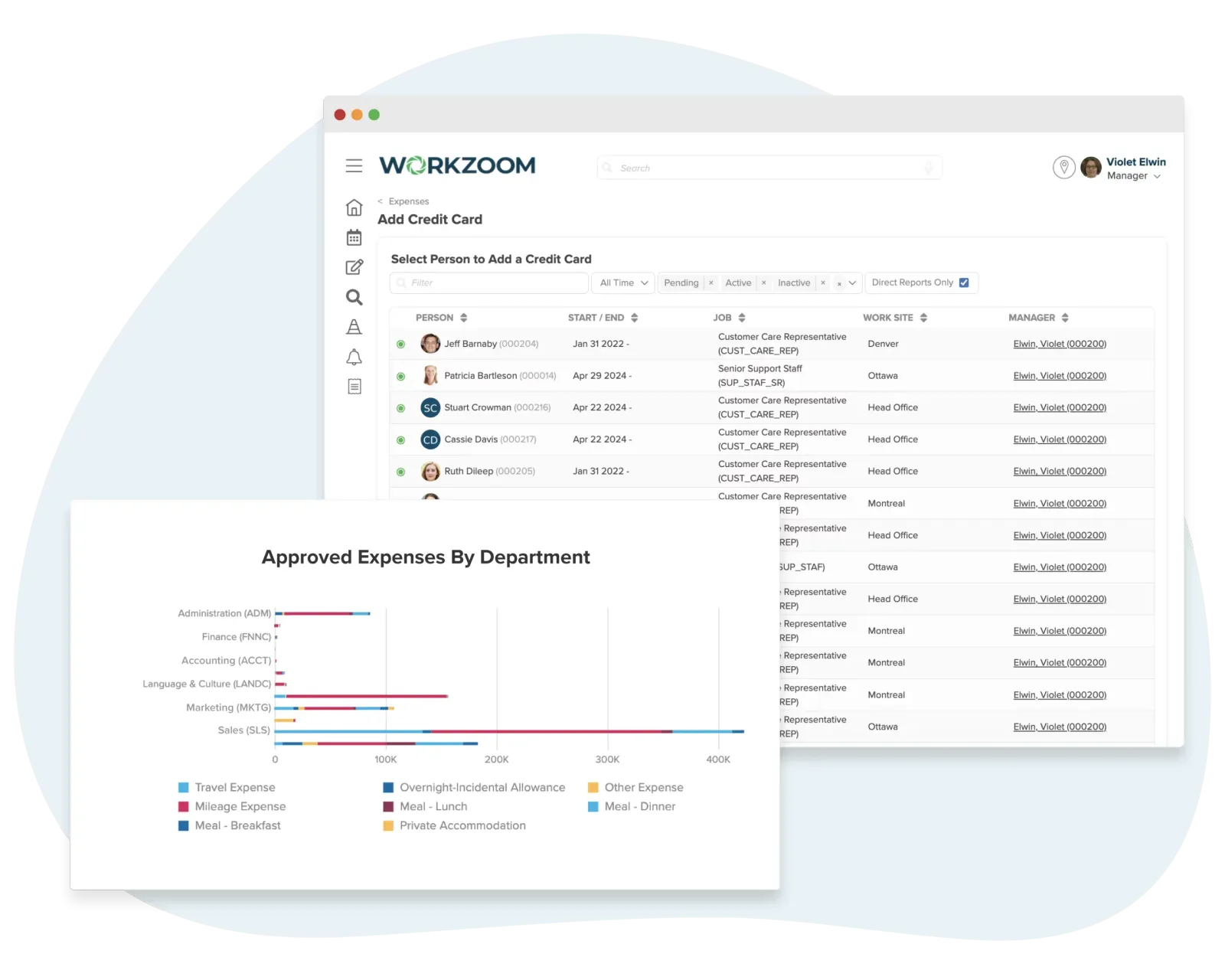
Reports and overlays
Compliance gets the headlines. The architecture is why it actually works on every pay run.
HR, Workforce, Payroll and Talent share one employee record. Approved time and effective-dated pay changes feed payroll according to the configured HR and time cutoffs.
Weekly hourly and biweekly salaried teams can have separate payroll policies and pay runs. Confirm the employees, period and cutoffs for each group during implementation.
Compare earnings, deductions and net pay in the payroll register. Reconcile the payment and accounting outputs with the run totals before your team submits them.
Independently verified, consistently rated, and built for mid-market teams.
Rated on G2
Fall 2026








Also recognized by


Approved inputs, a reviewed pay run and clear submission responsibilities.
Employees record time using the configured clocking or timesheet method. Approved leave and scheduled work provide context for review.
Managers review missed punches, time variances and unexpected overtime. Approved time must reach payroll before the configured time cutoff.
Process the pay group for its period using approved time, effective-dated compensation and configured deductions. Quebec uses its applicable contribution programs.
Review the payroll register, sample employee statements and run totals. Reconcile net pay with payroll clearing and the applicable bank and accounting outputs.
Workzoom prepares the configured EFT bank file. Your team uploads and authorizes it through your bank, then checks acceptance and resolves any rejection.
Workzoom prepares remittance reporting and T4 files. Your team reviews and submits them on its CRA schedule; preparing a file does not confirm payment or government acceptance.
Every requirement below is handled by the platform on every pay run, not configured per-customer.
Workzoom calculates CPP and CPP2 employer and employee contributions automatically at current statutory rates, updating when CRA publishes new tables.
Source: CRA CPP rates
Employment Insurance premiums are deducted at the correct rate for each pay run, with employer portions calculated automatically.
Source: CRA EI rates
Federal and provincial income tax is calculated across all 13 provinces and territories, with tax tables updated when CRA publishes changes.
Workzoom prepares T4 slips and the CRA electronic-filing file for your team to review and submit. The usual deadline is the last day of February following the tax year, with CRA weekend and public-holiday rules.
Source: CRA filing deadlines
Workzoom builds the ROE once the employee's final pay run is closed and produces the ROE Web XML for your team to validate and upload to Service Canada.
Source: Service Canada ROE
Canadian payroll is provincial. Workzoom applies provincial payroll regulations for Ontario, Quebec, British Columbia, Alberta, Saskatchewan, Manitoba, the Atlantic provinces, and all three territories on every pay run, including Quebec's QPP, QPIP, and Releve-1 reporting.

faster payroll processing
Northern Sunrise County, a rural Alberta municipality with a seasonal workforce of 90 to 140 employees, processed its first Workzoom payroll on January 15, under three months after the project started, a 40% faster payroll process than its prior system.
Switching to Workzoom has made managing payroll and timekeeping so much easier. The system is straightforward and works really well. We were able to process our first payroll faster than we expected, and now we feel much more confident in how we're handling everything. It's been a big help.
Source:Case study
Read the full storyThe story
The story
Evaluate Canadian payroll software with a fictional weekly hourly team and a biweekly salaried team. Ask how their payroll policies define who is included, the pay period and the HR and time cutoffs. Review a missed punch, approve the corrected time and follow it into the hourly employee's pay.
Add an effective-dated compensation change and an approved leave request. Ask which run receives each change and what happens if approval arrives after the cutoff. Compare the payroll register with a sample statement before closing. These are suggested evaluation tasks using synthetic records.
The story
Workzoom prepares payroll reporting, the CRA remittance amounts and the direct-deposit file in the Payments Canada EFT standard (CPA Standard 005). Your team reviews and submits remittances to the CRA and uploads the payment file through its own bank.
Bring the remittance cadence assigned to your account and confirm who checks bank acceptance and handles a rejected file or an amended T4. A generated file is not evidence that your bank has accepted it or that an employee has been paid.
The story
Northern Sunrise County, a rural Alberta municipality with a seasonal workforce of 90 to 140 employees, had moved through two prior systems (Diamond, then Muniware) that had eroded staff confidence in the numbers. The county processed its first Workzoom payroll on January 15, less than three months after the project started, and reports a 40% faster payroll process, the fastest the county had seen.
Use that example to evaluate the handoffs your own team wants to remove. The result belongs to Northern Sunrise County and is not a promised saving or a comparison with another vendor.
The story
Federal and provincial income tax is calculated across all 13 provinces and territories, with tax tables updated when CRA publishes changes. Quebec runs on the same engine with QPP, QPIP and RL-1 reporting in addition to the federal T4, with the applicable reduced EI rate.
Include an Ontario or Alberta employee and a Quebec employee in the demonstration. Compare the applicable deductions, then test a province transfer. Confirm workers' compensation, employer health taxes and year-end reporting requirements for your own registrations and payroll policies.
The story
The Payroll Suite is $4 CAD per employee per month in addition to the required HR Suite. HR and Payroll together are $8 CAD per employee per month with a $500 CAD monthly minimum. All four suites are $16 CAD per employee per month with a $700 CAD monthly minimum. Implementation, migration, training and support are included.
Use parallel payroll validation to compare employee data, opening balances, earnings, deductions and net pay with your existing process. Agree bank-file acceptance, remittance reporting, accounting totals and cutover criteria with the implementation team before the first live payroll. Confirm your timeline against the scope of your rollout.
Canada pricing
No initial setup fees, no long-term contract. Implementation, migration, and training included.
Statutory rates 2026
Configured and maintained in Workzoom, reviewed quarterly and on every statutory change.
Scroll horizontally to read rates, sources and notes.
| Contribution | Rate | Source | Notes |
|---|---|---|---|
| CPP employee contribution rate | 5.95% | CRA | YMP: $74,600 · YAMPE: $85,000 |
| CPP2 second-tier contribution rate | 4% | CRA | YAMPE: $85,000 |
| EI employee premium rate | 1.63% | CRA | MIE: $68,900 |
| EI employee premium rate (Quebec) | 1.30% | CRA | |
| QPP employee contribution rate (Quebec) | 6.30% | Revenu Québec | |
| QPIP employee premium rate (Quebec) | 0.430% | Revenu Québec | MIE: $103,000 |
Verified May 20, 2026 against the issuing authority for each line. Rates change. If you spot a discrepancy, contact us and we will update within one business day.
How Workzoom payroll runs day to day in Canada, with the local statutory specifics teams ask about.
Ready to run Canada payroll?
Bring the part that's costing you time. We'll show you what running it properly looks like.
Workzoom works with organizations of 50 or more employees. See our minimums.