Canada
 United States
 Bahamas













Payroll runs seamlessly, and HR processes are no longer a tedious grind. It's simplified how we work, allowing us to focus more on our people.
See balances and availability before an approved absence affects the schedule.
4.5 stars on G2 + Capterra. 49 third-party reviews.1
26+ years in production. Since 2000.2
100% in-house support. Never farmed out.14
$4 per employee / month / suite.3
Workzoom leave management software connects employee requests, balances and manager approvals.
Employees review Remaining alongside Booked future leave; managers consider the balance and staffing coverage before deciding. Where scheduling is enabled, approved full-day leave creates a vacancy while partial-day leave adjusts the schedule.
Our clients
A routine balance lookup interrupts HR when the employee has no way to check the figures. Future bookings can also make a remaining balance misleading on its own.
Employees see their eligible leave types and balances in self-service. Remaining excludes Booked future leave, so both values help them plan the request.
Every Workzoom suite shares the same employee data, so time off stays current with payroll, HR, workforce, and talent without an export or an integration to maintain.
Employees see the leave types they are entitled to and their balances in self-service. Remaining excludes Booked future leave, so both figures matter when planning a request.
Review the requestor, duration, reason, balance, team coverage and qualified substitutes before approving or declining the request.
Where scheduling is enabled, approved full-day leave creates a vacancy. Partial-day leave adjusts the schedule. A manager still assigns any replacement needed.
Set leave types, accruals, entitlements and carryover for the employee groups your organization uses. Policy settings drive the calculation; your team validates eligibility, employment requirements and changes rather than assuming the rules maintain themselves.
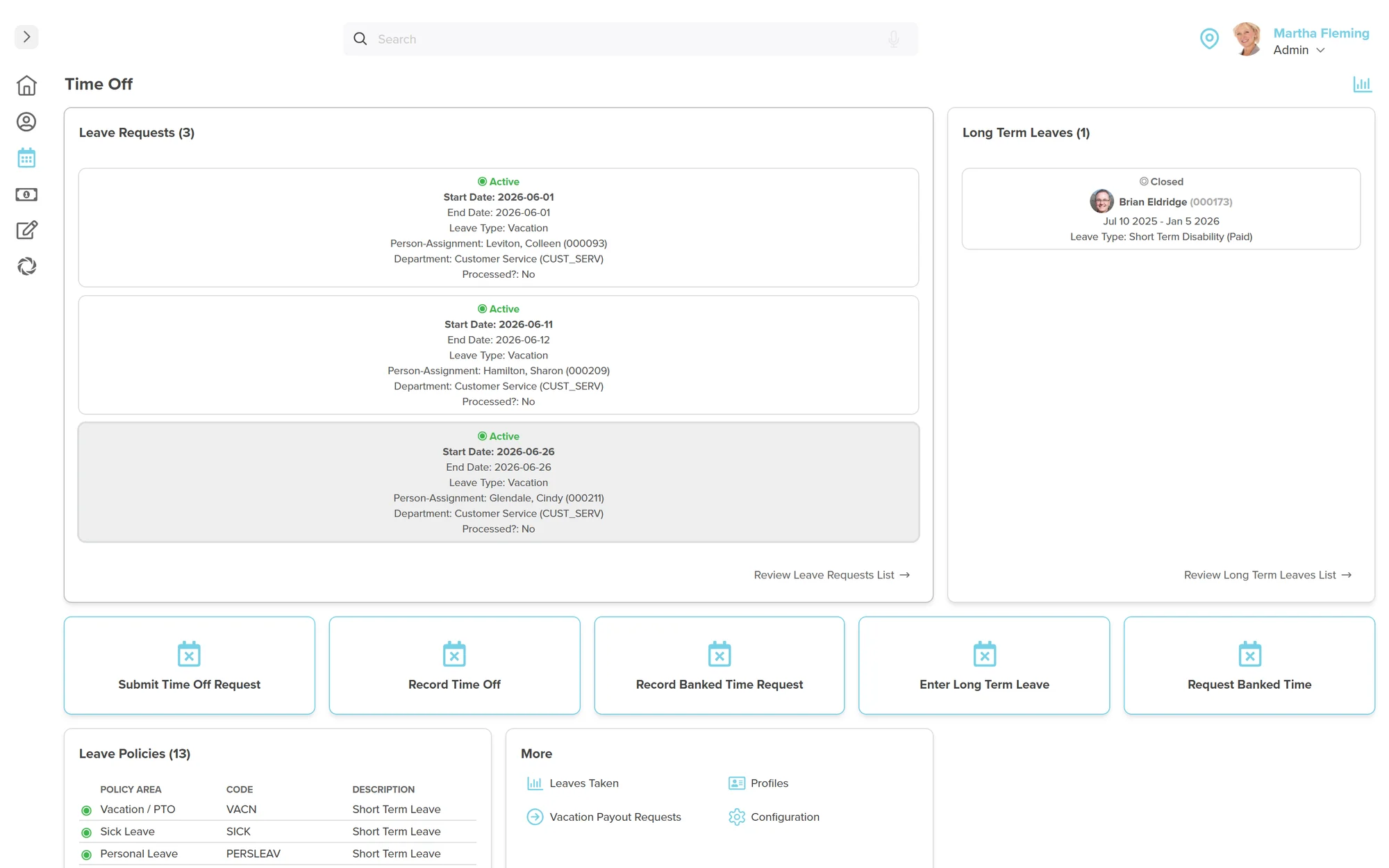
Self-service shows the leave types an employee is entitled to and the corresponding balances. Remaining reflects processed activity and excludes Booked future leave. Employees submit a request and Workzoom routes it to the manager for approval.
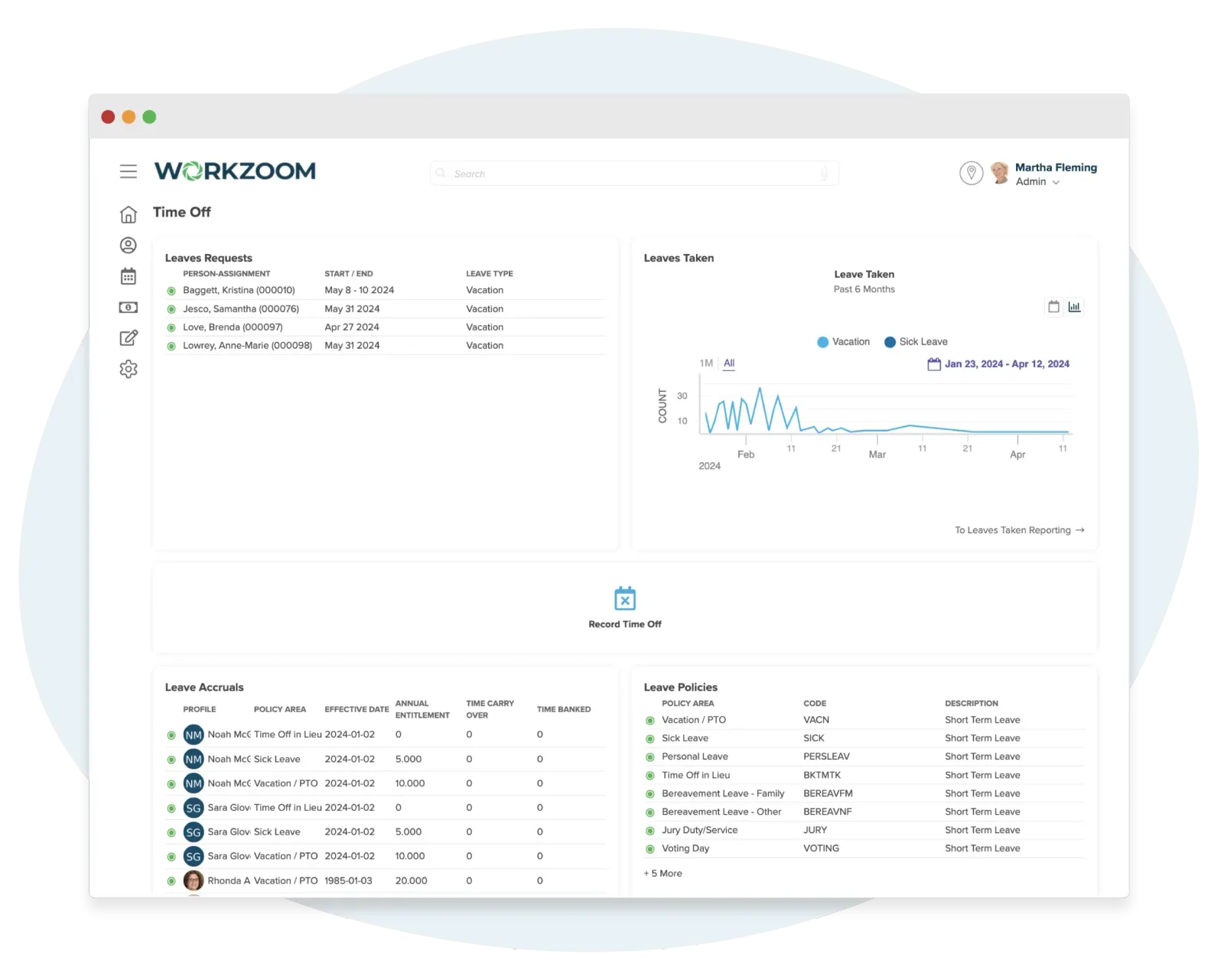
The manager can review the requestor, duration, reason, balance, team coverage and qualified substitutes before deciding. That context supports a deliberate approval rather than checking a balance in isolation.
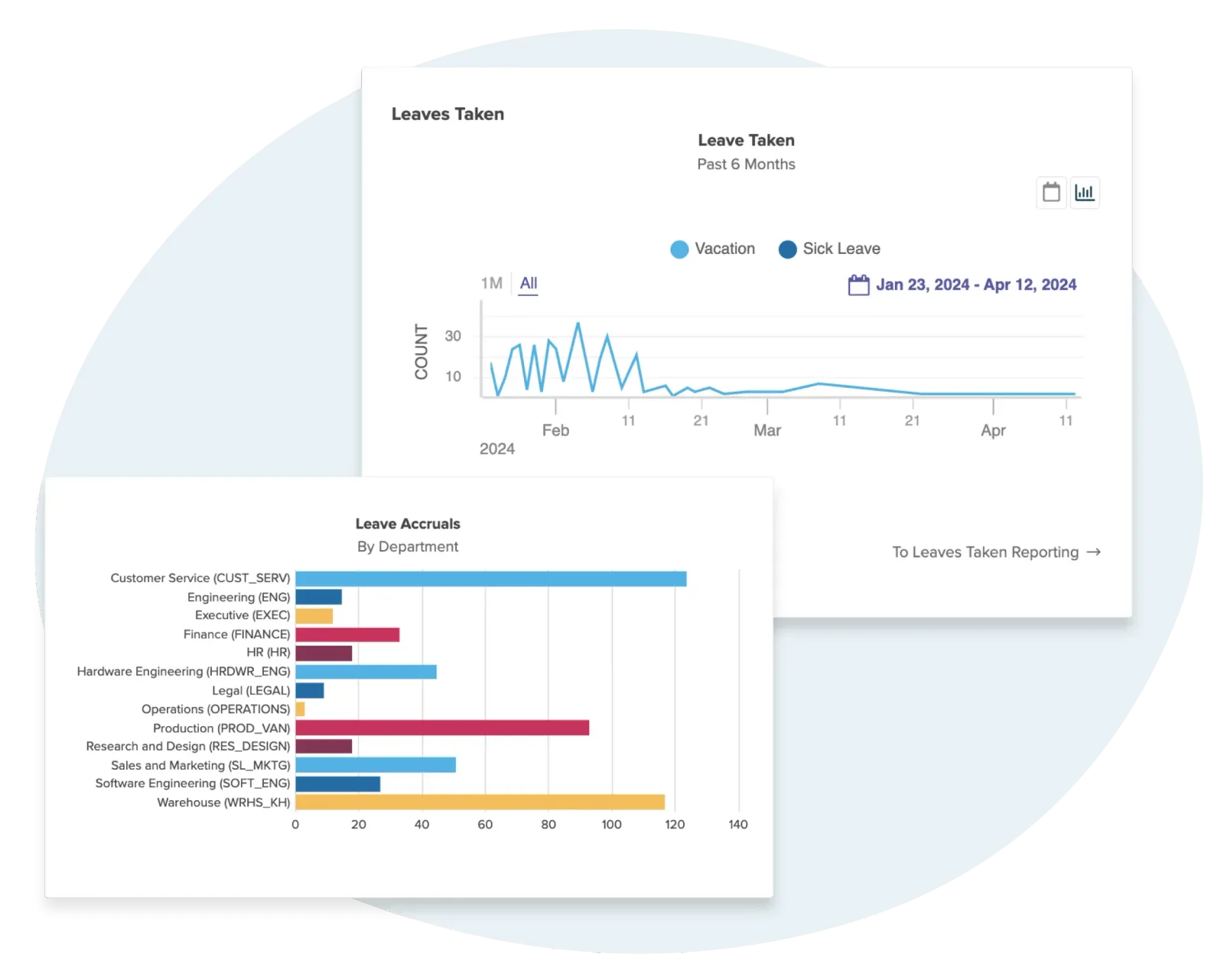
Approved leave connects to payroll-linked activity. Paid or unpaid treatment depends on the policy, employee setup and processing stage; approval is not an immediate salary deduction. Review late or retroactive approvals with the payroll administrator, and check balances after processing is complete.
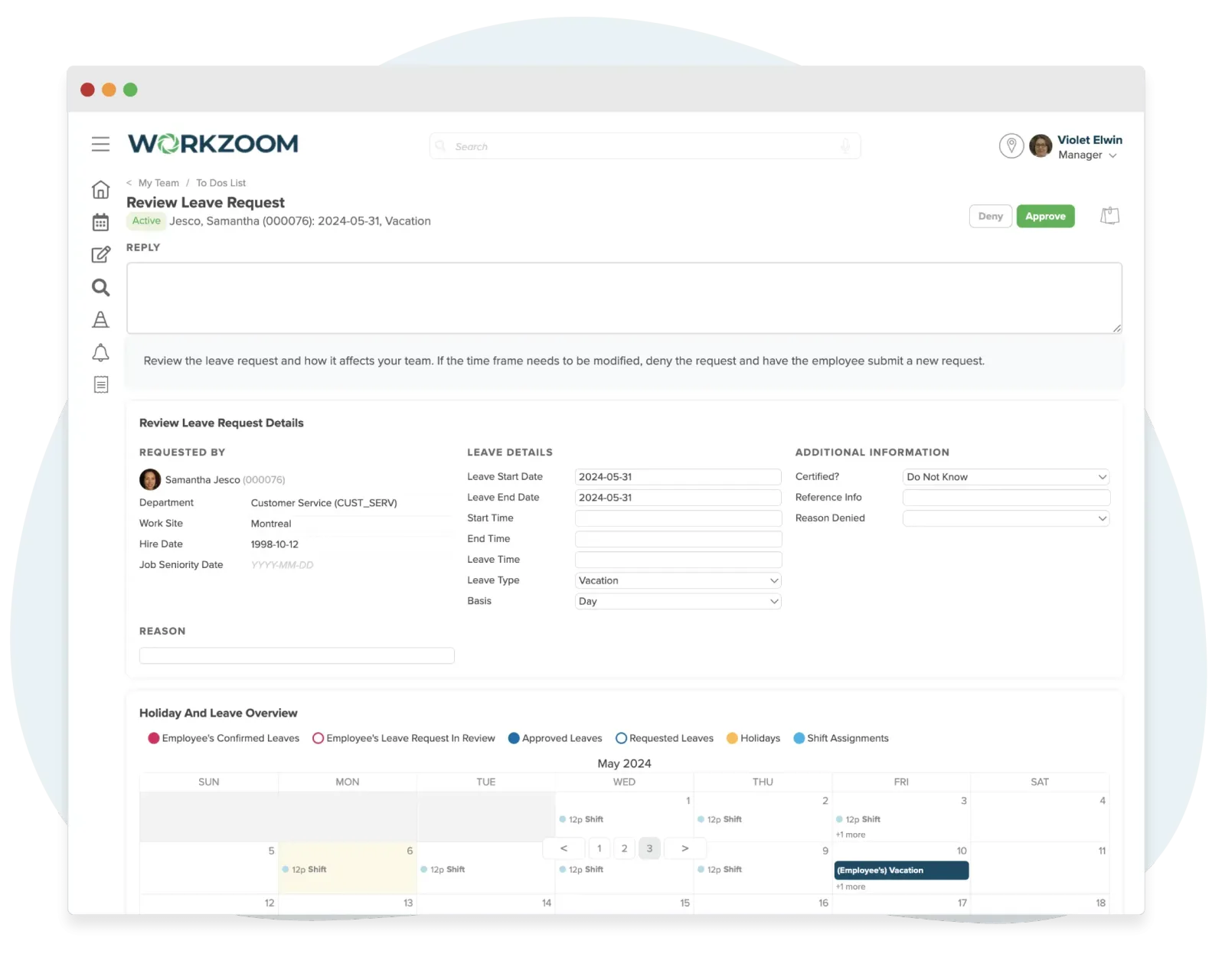
Where scheduling is enabled, approved full-day leave removes scheduled start and end times and creates a vacancy. Partial-day leave adjusts the schedule without removing the full scheduled task. A manager reviews qualified workers and assigns the replacement.
Customer stories
Read published customer stories about connected Workzoom operations. Each story’s results apply to the workflows it describes. View all case studies
Payroll runs seamlessly, and HR processes are no longer a tedious grind. It's simplified how we work, allowing us to focus more on our people.

Before Workzoom, we were buried in spreadsheets. Now HR is so much simpler. We spend less time on admin and more time supporting our staff and residents every single day.

What mattered most was choosing a solution built for businesses like ours. Workzoom delivered everything we needed, from payroll to facial recognition clocks, and worked with us every step.


We would not be able to hire the way we do with the same resources. It has kept our headcount consistent without growing it, saving us time and money every single cycle.


Workzoom completely transformed our payroll process in just one month. So easy to audit, validate, and make corrections, even at the last minute. The support we received was incredible.
Moving to Workzoom was the right move. It gave our dynamic report and payment structures the flexibility we needed, at the right price.

Switching to Workzoom made managing payroll and timekeeping so much easier. We processed our first payroll faster than we expected and now feel far more confident in everything we do.
Keep exploring
Pair Time Off with the rest of the Workforce Suite. One employee record, nothing to integrate or maintain.
Workzoom is $4 USD per suite per employee per month, or $16 all-in for the full platform. No initial setup fees, no long-term contract. See pricing.
Frequently asked
Get started
Walk through Time Off live, then get a straight answer on fit and price.
Workzoom works with organizations of 50 or more employees. See our minimums.