 Canada
 United States
 Bahamas
Canadian Payroll Software: What It Must Do and What It Costs

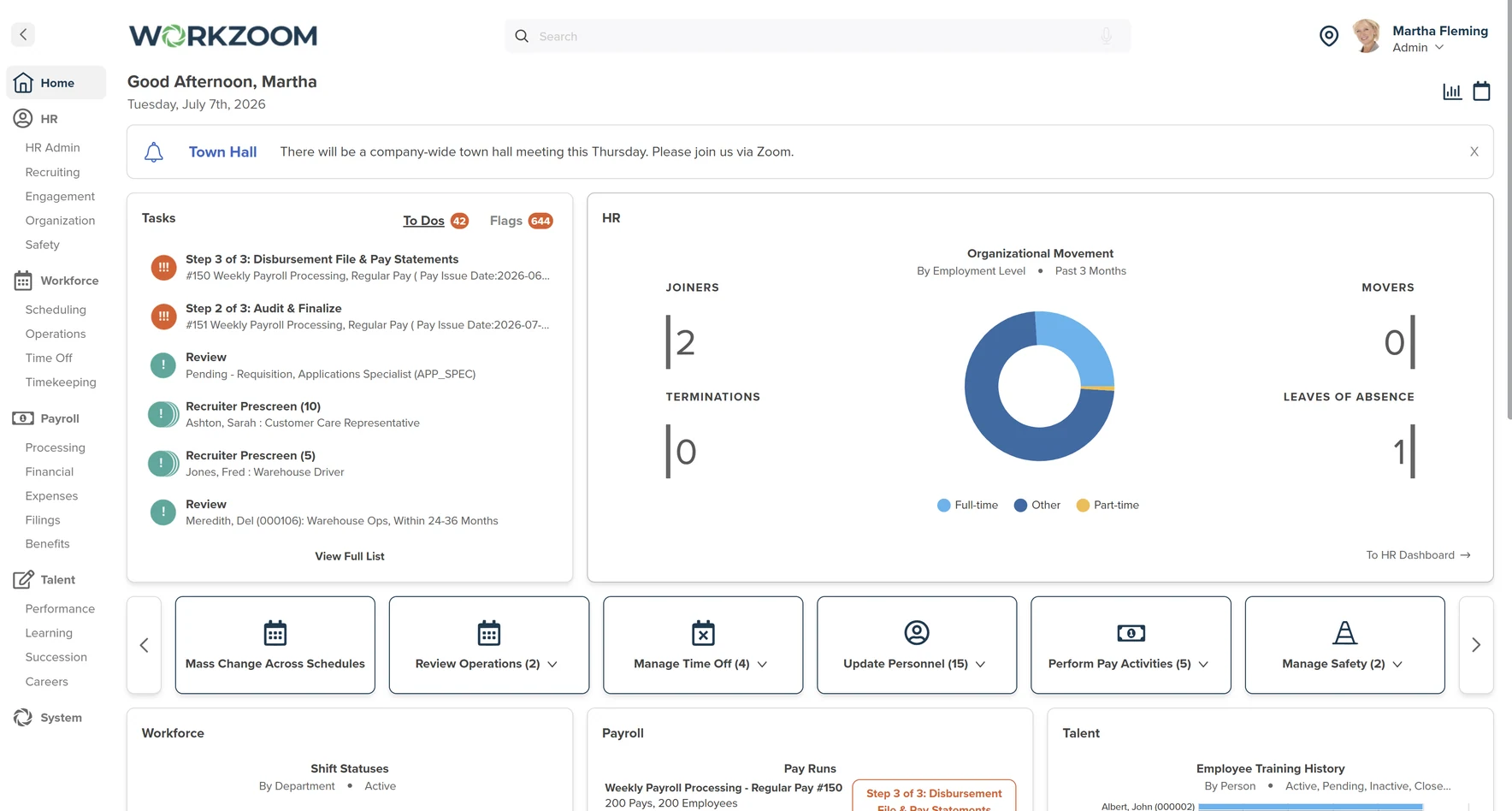
The best Canadian payroll software for a growing employer calculates withholdings and remittance amounts correctly on every pay and shares one employee record with HR and approved hours, so changes are not keyed twice. Outside Quebec it must withhold CPP at 5.95% and EI at 1.63% on every pay, plus CPP2 at 4% on earnings above $74,600, and support your CRA remittance schedule. Workzoom runs live payroll in Canada, the United States, and the Bahamas. Its HR, payroll, workforce and talent suites run on that one record. Choose by testing your pay run, comparing the full cost and agreeing who handles payments, filings and corrections. Canadian ownership and hosting belong in the assessment, alongside the practical question: can the system handle your payroll reliably, with work your team can sustain?
The remittance schedule is part of the test. Under CRA's remitter types, a regular remitter, meaning an employer whose average monthly withholding is under $25,000, remits monthly, with payment due on the 15th of the next month. Larger employers remit more often. Quebec employees contribute to QPP at 6.30% and pay EI at 1.30% instead, with QPIP premiums on top.
This guide is for employers evaluating a change of payroll system. Workzoom sells HR and payroll software, and its customer example appears below. The checklist can be used with any provider. For a vendor-by-vendor shortlist, use the separate Canadian payroll software comparison.
Who will handle the payroll work?
Software, connected HR and payroll, and managed payroll services leave different responsibilities with the employer. Before comparing features, decide which tasks your team wants to keep. A product demonstration should make the handoffs visible, including what happens when something goes wrong.
Scroll sideways to compare all columns.
| Service model | A fit when you need | Ask the provider to show |
|---|---|---|
| Payroll software | Calculations and outputs for your team to run payroll. | Approval, payment files, reporting and a correction after a run. |
| Connected HR and payroll | Fewer handoffs between employee records, approved hours and pay. | A pay change and approved hours flowing into payroll, with a traceable record. |
| Managed payroll | A provider to perform agreed payroll tasks. | Funding deadlines, filing responsibility, backup coverage and error resolution. |
For Workzoom, begin with the Canadian payroll coverage and responsibilities. Its payroll workflow produces outputs for the employer to review and submit. Confirm the payment, filing and remittance steps for your bank and organization, including which steps remain outside the software.
Test the pay run you actually have
Bring a representative, anonymized scenario to each demo. Give every vendor the same inputs and record what the proposed package can demonstrate. A clean standard payroll is only the start: corrections and exceptions show how much work will remain with your team.
- Employee changes: add a hire, change a pay rate from an effective date and process a departing employee. Check which fields need to be entered again and how the change is recorded.
- Hours and approvals: include overtime, a shift premium or a late timesheet that reflects your actual workforce. Follow the approval into payroll and identify who can change it afterwards.
- Reporting: review pay statements, accounting outputs and the year-end forms your organization needs. For Quebec employees, include applicable federal and provincial reporting in the scope.
- Corrections: change an approved input, recalculate the result and inspect the audit history. Ask how an error discovered after payment is handled and who supports the correction.
The CRA payroll guidance covers employer deductions, remittances and information returns. Revenu Quebec's employer guidance covers its source deductions and contributions. Use the requirements that apply to your organization when building the test; a vendor's Canadian address does not establish product coverage.
Keep the demonstration record simple: requirement, demonstrated result, remaining question and responsible person. If a feature needs another module, an integration or custom work, put it in the written scope before treating the requirement as met.
Compare Canadian payroll software costs
A per-employee rate is not a complete quote. A plan charged per pay run can produce a different annual total from a monthly subscription. Minimums, required modules and services also change the comparison. Give each vendor the same employee count, pay frequencies and expected seasonal variation.
- Subscription: include the required modules, base fees, monthly minimums and currency. Ask how active, inactive and seasonal employees are counted.
- Payroll events: price regular runs, off-cycle payments, corrections and year-end work. Confirm whether filing or payment services carry separate charges.
- Implementation: separate vendor services from your team's time preparing data, deciding rules, testing and training colleagues.
- Ongoing work: include support, integrations, time clocks and report changes. Ask what happens to pricing at renewal and how records are exported when you leave.
Workzoom's Canadian-dollar pricing calculator shows subscription rates and monthly minimums. Confirm the required suite combination in the proposal. The implementation process explains included support and client responsibilities; extensive custom work is scoped separately. This guide does not establish a cheapest provider or a market-average price.
Separate ownership, hosting and data access
Canadian ownership may be part of your procurement criteria. Hosting location, corporate ownership and legal access are separate questions, though, and one answer does not settle the others. Ask for the contracting entity, hosting region, backup locations, subprocessors and support access in writing.
The Office of the Privacy Commissioner of Canada's cross-border processing guidance explains the accountability of organizations transferring personal information for processing. Review the service agreement and safeguards with your privacy or legal adviser. Do not assume that a Canadian server or a Canadian parent company, by itself, resolves every privacy requirement.
Ask how the provider responds to a legal request, not whether foreign access is simply impossible. The US Department of Justice's CLOUD Act explanation describes jurisdiction and possession or control as relevant, fact-specific questions. Avoid treating a vendor's headquarters as a complete legal risk assessment.
If federal procurement rules apply, check the current CanadaBuys policy and the solicitation's criteria. A general preference for buying Canadian does not establish that every software purchase has the same eligibility requirements.
What must pass before you switch payroll?
Agree on what must be validated before switching providers. Document the data to import, the records that will remain in the old system and who will retain access. Reconcile year-to-date balances before they become the starting point for the new payroll.
Run a parallel payroll using agreed inputs. Compare employee and employer totals, deductions, payment outputs and accounting entries. Resolve variances, test a correction and name the person who can approve cutover. Assign responsibility for year-end reporting and access to historical records so neither is left between providers.
A Canadian customer example. Northern Sunrise County reported 40% faster payroll on Workzoom and processed its first payroll in under 3 months of implementation. The Alberta municipality brought Time Off, Timekeeping, Payroll and Journal into its rollout. Read the Northern Sunrise County case study for the context. Those are reported customer results, not a promised timeline or savings estimate for another employer.
Use that example to ask practical questions: what data was ready, which workflows went live together and what needed to be checked before the first pay run? For your own project, agree a schedule around data readiness, decision-makers' availability and the complexity of the payroll. Keep a named escalation route for the first live run.
See whether Workzoom fits your Canadian payroll
Workzoom brings HR, Workforce, Payroll and Talent together around an employee record. It is worth evaluating when your team spends time reconciling employee changes and approved hours across systems. The decision should come from your demonstrated workflows, agreed service responsibilities and full subscription scope.
Bring your provinces, employee count, pay frequencies and one difficult payroll scenario. The walkthrough can focus on those requirements, including what your team will still handle. If you are comparing managed payroll with software, make that responsibility split part of the conversation.
- Types of remitters claim checked Sep 4, 2026 also When to remit (pay)
How useful was this page?
What should we improve?
FAQ
What readers ask after this post on canadian payroll software.
Our clients
The teams that run their people on Workzoom.













Workzoom handles HR, payroll, workforce, and talent on one employee record. Book a Walkthrough.
Related reads
View all in Payroll



Get started
Built around your org. See it run live.
A 15 to 60 minute working session, not a slide deck. We look at your org, map the right suites, and show you what to expect on pricing. If we're not a fit, we'll say so.
Workzoom works with organizations of 50 or more employees. See our minimums.