 Canada
 United States
 Bahamas
Time Tracking Software in Canada: Compare Payroll Fit

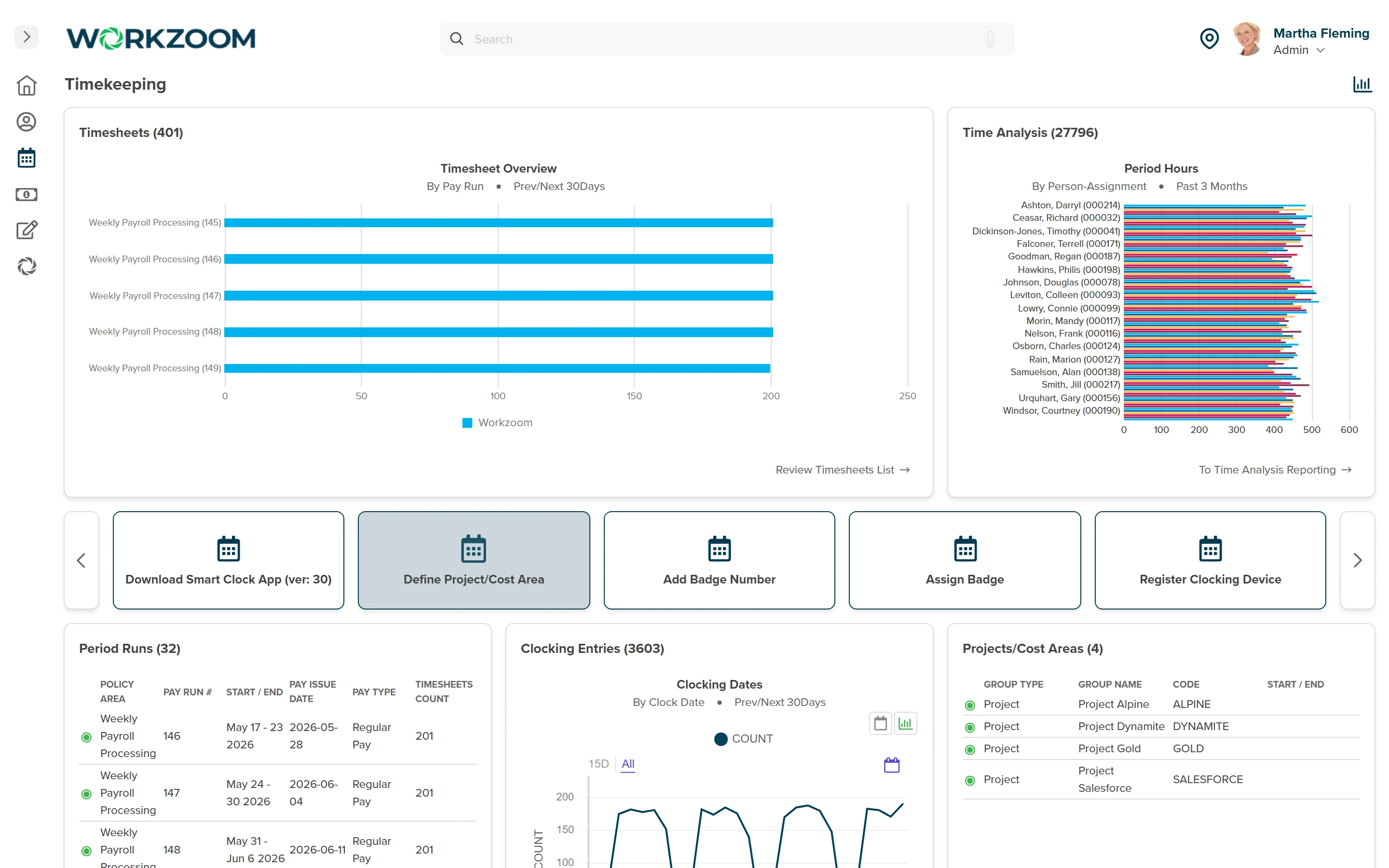
Choose time tracking software in Canada by where the hours end up: the best fit for a Canadian business is the one whose approved hours reach payroll without being entered again, with your province's rules applied before the pay run. Workzoom builds time and attendance into the same system as HR and payroll: employees clock in or fill in timesheets, supervisors approve, configured provincial rules apply and approved hours flow into the Canadian pay run. General overtime rules differ by province. Ontario pays one and a half times the regular rate after 44 hours in a week, Alberta counts hours over 8 a day or 44 a week, whichever is greater, and British Columbia counts hours over 8 hours a day or 40 hours a week.
A separate time tool can also fit, provided its Canadian payroll connection carries approved hours, pay codes and later corrections. Workzoom sells connected HR, timekeeping and payroll software. This guide is for teams evaluating a replacement, with a checklist you can use in any vendor demo. Start with the timesheet your payroll team receives today: what still needs checking, fixing or entering again?
Which kind of time tracking do you need?
Client billing, attendance and payroll use hours differently. A project timer may be enough to prepare an invoice. A shift-based team also needs to account for approved leave, premiums and pay-period cutoffs. Choose the workflow before comparing clocking features.
Scroll sideways to compare all columns.
| Main job | Look for | Test before choosing |
|---|---|---|
| Client billing | Timers, project allocation and billable reports. | Can approved project hours produce the invoice detail you need? |
| Attendance with existing payroll | Clocking, timesheets, approvals and a supported payroll connection. | Do pay codes and corrections reach your Canadian payroll package correctly? |
| Connected time and payroll | Shared employee records, time rules and approved hours in the pay run. | Can you trace a changed shift or timesheet through to the calculated pay? |
For a broader product shortlist, use the employee time tracking software guide. If payroll is also being replaced, compare Canadian payroll costs, fit and switching alongside the timekeeping decision.
Test the handoff before the feature tour
Bring an anonymized timesheet with an exception your team actually handles. Ask every provider to use the same inputs. Record the expected result, the demonstrated result and any work that remains with your team.
What happens when a punch is missing?
Show an incomplete shift, the employee's correction and the manager's approval. Check who can change the time, whether the original entry remains visible and how payroll knows the correction is ready. A manager should be able to explain the final paid hours from the record.
Can a manager see overtime before approving time?
Use your own daily, weekly or agreement-based example. Ask where the overtime appears, who reviews it and which rule produced the result. If scheduled and actual hours differ, inspect both. An overtime warning helps planning, but it does not remove the need to account for hours already worked.
What happens after an approved timesheet changes?
Follow the correction into payroll. Does it require another approval, a fresh transfer or a later adjustment? Confirm how the system prevents duplicate hours and identifies a failed transfer. Include someone from payroll in this part of the demo: they will own the result after the call.
The handoff is only complete when payroll can explain the hours it received.
Which Canadian time rules must the system support?
Provincial overtime rules are part of the assessment. Establish the applicable jurisdiction and employee coverage first, including whether federal labour standards apply. Then document your pay groups, agreements, premiums, leave treatment and approval cutoffs. An employee's address alone is not a complete rule specification.
- Ontario: check the weekly overtime framework, exemptions and any permitted averaging agreement against the province's overtime guidance.
- Alberta: the basic framework compares daily and weekly overtime entitlements. The applicable calculation, exceptions and agreements are explained in Alberta's overtime guidance.
- British Columbia: test daily and weekly treatment, including applicable double-time rules and averaging arrangements, using B.C.'s overtime guidance.
These examples are a starting point, not a complete national rules table. Add the requirements for every jurisdiction and employee group in scope. Ask who configures the rules, who signs off the test results and how a later policy or legal change reaches existing timesheets.
Include holiday eligibility, holiday work, banked time and a mid-period change where those apply. Keep employment standards, payroll tax treatment and internal policy as distinct requirements. Workzoom's Canadian coverage page is the starting point for a country-specific scope discussion.
Choose clocking controls that fit the workplace
Workzoom supports seven clocking methods: employee self-service clocking, the mobile app, a web clock, facial recognition terminals, biometric fingerprint terminals, badge clocking at kiosk stations, and manual timesheet entry. Geo-fencing on mobile and web clocking is a location control in the timekeeping policy, not a capture method.
Choose a method based on the attendance problem, device access and privacy requirements. Location or biometric controls bring additional decisions about collection, access, retention and alternatives. They do not guarantee accurate attendance or remove the need to review disputed entries.
The Office of the Privacy Commissioner of Canada's workplace guidance explains purpose, transparency and limits on employee information use. Quebec has specific biometric requirements. Review the law that applies to your workplace before enabling a control. Consent alone is not a universal answer.
Can you connect the time tool to existing payroll?
Sometimes. A vendor's integration list is the start of the check. Confirm the exact product, Canadian edition, subscription, supported fields and correction process. A file export can be workable when mappings and reconciliation are controlled; a direct connection still needs testing and an owner.
Do not treat a payroll logo on an integration list as proof of support. Some time tools document that a connection does not work with a specific payroll edition, and others describe a time-to-payroll workflow that depends on the subscription and setup. Read the vendor's own documentation for your Canadian payroll product, then demonstrate your pay types and adjustments rather than assuming another country's connection has the same coverage.
Compare the full time tracking cost
Price the workflow you tested. Give each vendor the same active employee count, seasonal range, locations and payroll setup. Ask for the currency, minimum charge and required modules in writing.
- Include clock hardware, replacement devices and any mobile or kiosk charges.
- Identify integration setup, support ownership and charges for changes to pay-code mappings.
- Allow for your team's work configuring policies, checking opening data and training approvers.
Use Workzoom's Canadian-dollar pricing calculator for subscription rates and minimums. Confirm the required suite combination in the proposal. The implementation guide explains the testing and client decisions involved. A lower subscription is useful only if the remaining work fits your team.
See Workzoom timekeeping with your payroll scenario
Workzoom's time and attendance software for Canadian employers connects employee time entry, configured provincial rules, supervisor approval and payroll. Timesheets can draw from punches, schedules or approved leave, with layouts for different types of work. Demonstrate the mix your team needs, including a correction and a pay-period cutoff.
In Alberta, Northern Sunrise County needed timekeeping across different job types and timesheet formats. Northern Sunrise County reported 40% faster payroll on Workzoom and processed its first payroll in under 3 months of implementation. That is the county's reported overall payroll result, not an isolated timekeeping saving or a promise for another team.
If you're comparing time tracking software in Canada, bring a representative shift, an approval exception and the payroll output you need. We can use those to assess fit and identify what would need configuration.
- Your guide to the Employment Standards Act: Overtime pay claim checked Sep 4, 2026
- Employment Standards Code, RSA 2000, c E-9, ss 21, 22 and 23 claim checked Sep 4, 2026
- Employment Standards Act, RSBC 1996, c 113, ss 35 and 40, and Employment Standards Regulation, BC Reg 396/95, s 34 (f) claim checked Sep 4, 2026 also Employment Standards Regulation, BC Reg 396/95, s 34 (f)
How useful was this page?
What should we improve?
FAQ
What readers ask after this post on time tracking software Canada.
Our clients
The teams that run their people on Workzoom.













Workzoom handles HR, payroll, workforce, and talent on one employee record. Book a Walkthrough.
Related reads
View all in Workforce





Get started
Built around your org. See it run live.
A 15 to 60 minute working session, not a slide deck. We look at your org, map the right suites, and show you what to expect on pricing. If we're not a fit, we'll say so.
Workzoom works with organizations of 50 or more employees. See our minimums.