

Workforce Suite · Scheduling

Shift scheduling software for coverage across sites

Plan coverage across sites and shifts, with overtime in view.
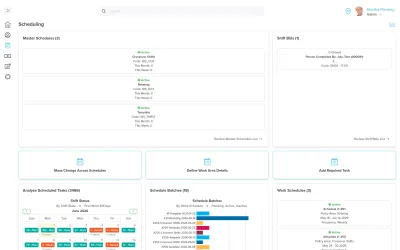
Workzoom Scheduling dashboard showing Master Schedules with active crossover, rotating and template shifts, a Shift Bids panel, an Analyze Scheduled Tasks calendar by shift status, a Schedule Batches bar chart, and Work Schedules panels., shift scheduling software in Workzoom

4.5 stars on G2 + Capterra. 49 third-party reviews.1

26+ years in production. Since 2000.2

100% in-house support. Never farmed out.14

$4 per employee / month / suite.3

Workzoom shift scheduling software connects multi-site schedules, qualified fill and shift bidding with employee records and timekeeping.

Read the full answer

Managers compare workers using configured criteria and assign coverage. Recorded time is reviewed separately; approved hours feed the matching payroll period when approved before cutoff.

Our clients

The teams that run their people on Workzoom.

See customer stories
The real problem

Where scheduling breaks down today

03 pain points

Filling an open shift means phone calls and guesswork about who is qualified and available. The work is slow, manual, and never finished.

The Workzoom answer

Qualified Fill ranks workers against configured criteria. A manager reviews qualifications and schedule conflicts, then assigns a worker or reviews submitted bids.

Workforce Suite

See the coverage gap. Choose who fills it.

Every Workzoom suite shares the same employee data, so scheduling stays current with payroll, HR, workforce, and talent without an export or an integration to maintain.

Benefits

Why Scheduling?

Compare workers before filling a gap

Qualified Fill ranks workers against configured criteria such as certifications, preferences and current schedules. Managers review the context and assign coverage.

Keep sites and shift patterns together

Master schedules support multiple sites or managers. Use rotating or pattern schedules for repeating work and templates for staffing that changes week to week.

Follow approved hours into payroll

A planned shift is not proof of time worked. Managers correct and approve recorded time; approved hours feed the matching pay period when approved before cutoff.

How it works

How shift scheduling software runs in production.

VACANCY MANAGEMENT

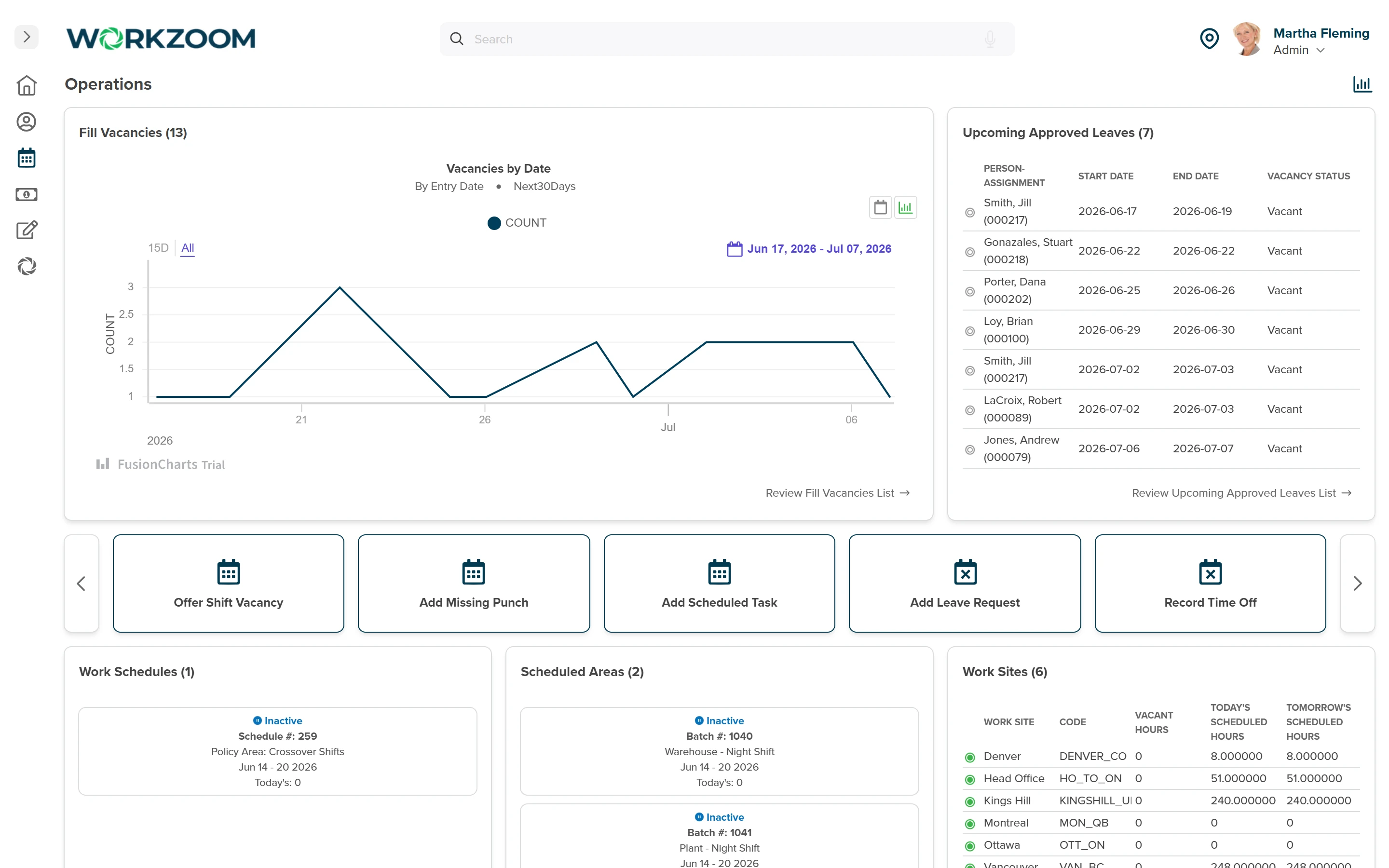
Review the vacancy and compare qualified workers

Qualified Fill ranks workers using criteria your team configures, such as seniority, certifications, preferences and current schedules. Hard requirements can exclude a worker entirely.

Workers on leave or partly scheduled may remain lower in the list, so managers review the context before assigning.
  • Set the qualifications and ranking criteria your operation needs
  • Review schedule conflicts alongside the ranked candidates
  • Let a manager select and assign the replacement
Workzoom Scheduling Operations dashboard showing Fill Vacancies by date, Upcoming Approved Leaves with vacancy status, quick actions to offer shift vacancies, and scheduled hours by work site
View full-size screenshot
SCHEDULE MODELS

Choose a schedule model that fits the work

Use rotating or pattern schedules for repeating shifts and templates for staffing that changes week to week.

Editing a generated schedule affects that period; changing a template can update future generated schedules and override their ad hoc edits.
  • Match repeating work to a rotating or pattern schedule
  • Use a template for staffing that changes week to week
  • Check which periods a template change will affect
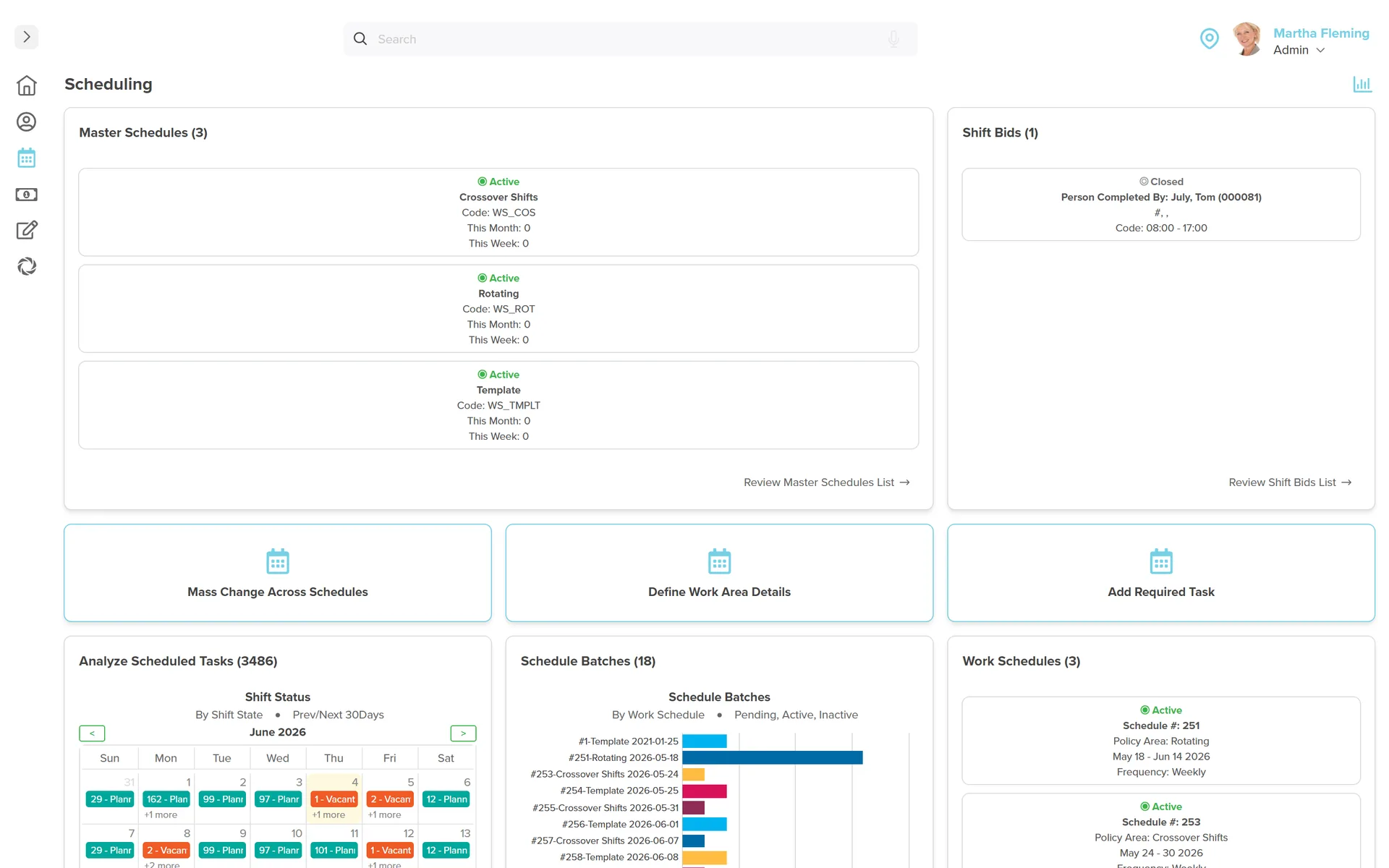
Workzoom Scheduling admin dashboard: master schedules and shift bids, a scheduled-tasks calendar of planned and vacant shifts, 18 schedule batches, work schedules, schedule templates, and 12 work areas and teams, with quick actions to mass-change schedules and define work areas.
View full-size screenshot
EMPLOYEE PARTICIPATION

Employees view schedules and bid on eligible shifts

Employees can view eligible vacant shifts and submit bids in self-service. A manager or administrator reviews the bids and assigns the worker.

A shift swap needs acceptance and approval; it is not an automatic two-way trade.
  • Let eligible employees bid on vacant shifts
  • Review bids before assigning coverage
  • Require acceptance and approval for shift changes
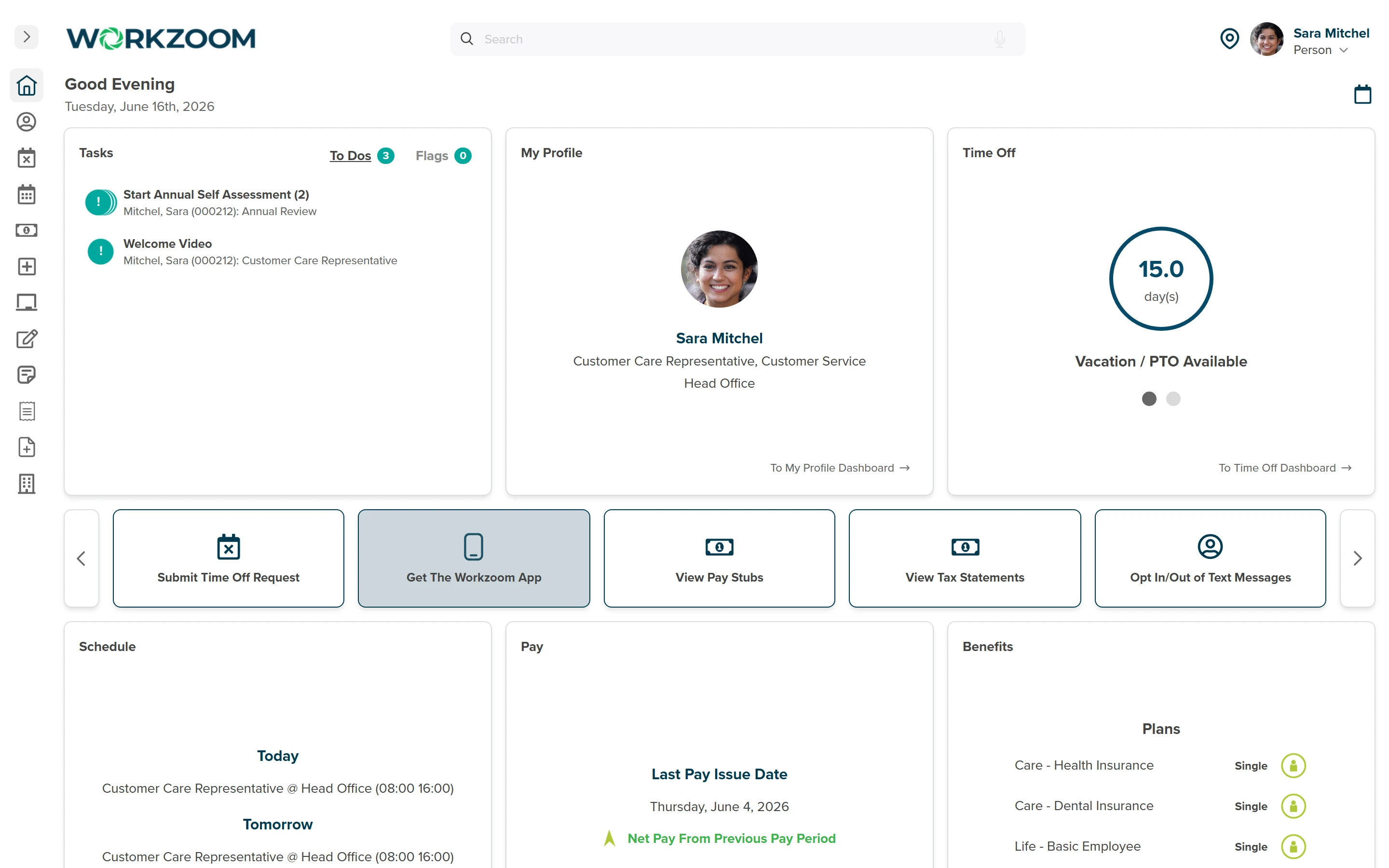
Workzoom employee self-service dashboard showing a worker Today and Tomorrow schedule, time off balance, pay, benefits, and a Get the Workzoom App action for mobile schedule access
View full-size screenshot
SCHEDULING AND PAYROLL CONNECTION

Connect the schedule to reviewed time and payroll

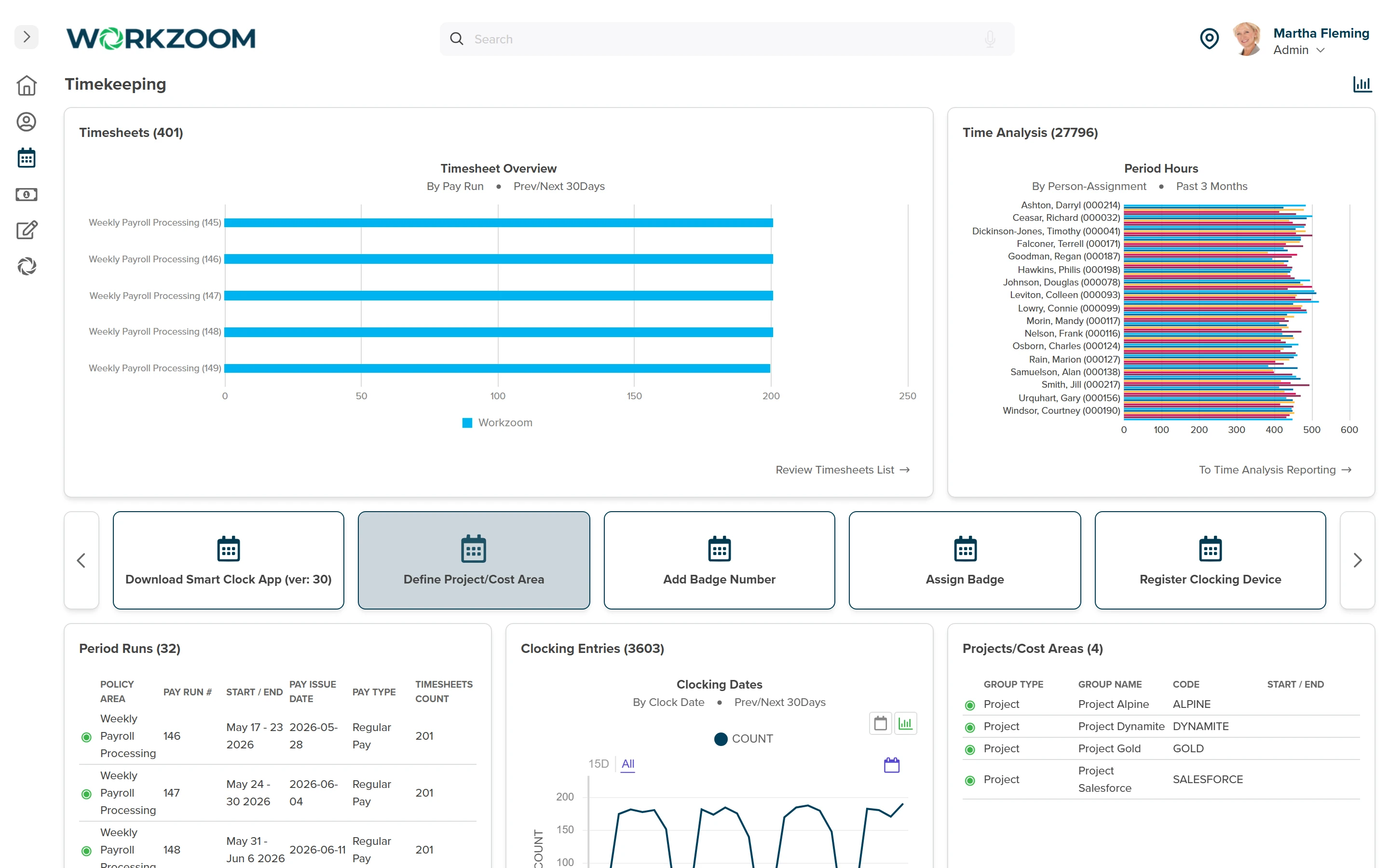
The schedule records planned work; timekeeping captures and reviews what was worked. Managers resolve daily exceptions, then configured time rules apply to recorded time.

Approved timesheet hours reach the matching pay run when approved before the Time Cut Off Date.
  • Review planned work alongside recorded time
  • Correct and approve missing punches and extra time worked
  • Confirm time and pay periods align
Workzoom Timekeeping dashboard showing timesheets by pay run, period hours by person, period runs with pay issue dates, and clocking entries that feed payroll
View full-size screenshot
OPERATIONAL STRUCTURE

Organize schedules around sites, teams and responsibility

Master schedules support multiple sites and managers. Scheduling teams can group staff under the supervisor responsible for schedules, time exceptions and leave requests.

Confirm those responsibilities and how each team maps to the schedule policy.

  • Review sites and their schedule owners
  • Group teams under the responsible supervisor
  • Check how schedules and approvals fit the operation
Workzoom Scheduling admin dashboard: master schedules and shift bids, a scheduled-tasks calendar of planned and vacant shifts, 18 schedule batches, work schedules, schedule templates, and 12 work areas and teams, with quick actions to mass-change schedules and define work areas.
View full-size screenshot

Customer stories

Proof, not slideware.

Read published customer stories about connected Workzoom operations. Each story’s results apply to the workflows it describes. View all case studies

Hope Town lighthouse, Bahamas
Telecom 850 employees Bahamas
70% case study: faster payroll, 5 days to 1.5 days
Payroll runs seamlessly, and HR processes are no longer a tedious grind. It's simplified how we work, allowing us to focus more on our people.

Silvera for Seniors Residence West building
Senior Care 400 employees Canada
30 case study: buildings, 400 staff, one platform
Before Workzoom, we were buried in spreadsheets. Now HR is so much simpler. We spend less time on admin and more time supporting our staff and residents every single day.

Island Luck operations
Gaming 850 employees Bahamas
60+ case study: locations, 8 weekly payrolls, one record
What mattered most was choosing a solution built for businesses like ours. Workzoom delivered everything we needed, from payroll to facial recognition clocks, and worked with us every step.

Eagle's Nest lookout panorama, County of Renfrew
32 case study: hires onboarded in three months, zero paper
We would not be able to hire the way we do with the same resources. It has kept our headcount consistent without growing it, saving us time and money every single cycle.

Mid-Wilshire HCC residents
1month case study: implementation start to finish
Workzoom completely transformed our payroll process in just one month. So easy to audit, validate, and make corrections, even at the last minute. The support we received was incredible.
Atlantis Paradise Island, Bahamas
Telecom 850 employees Bahamas
70% case study: faster payroll, 5 days to 1.5 days
Moving to Workzoom was the right move. It gave our dynamic report and payment structures the flexibility we needed, at the right price.

Northern Sunrise County mountain river landscape
40% case study: faster payroll processing
Switching to Workzoom made managing payroll and timekeeping so much easier. We processed our first payroll faster than we expected and now feel far more confident in everything we do.

Workzoom is $4 USD per suite per employee per month, or $16 all-in for the full platform. No initial setup fees, no long-term contract. See pricing.

Frequently asked

What teams ask before turning on Scheduling.

Employee scheduling software records planned shifts, vacancies and staffing assignments. Workzoom connects multi-site schedules with employee records, qualified fill, shift bidding and timekeeping. Managers remain responsible for assigning coverage.
Where scheduling is enabled, approved full-day leave creates a vacancy. Qualified Fill ranks workers using configured criteria; hard requirements can exclude workers while some schedule conflicts lower their rank. A manager reviews the context and assigns coverage.
Employees can view and bid on eligible vacant shifts in self-service. A manager or administrator reviews the ranked bids and assigns the selected worker or another qualified person. Bidding does not automatically assign the shift.
Workzoom supports rotating or pattern schedules for repeating staffing and template schedules for staffing that changes week to week. Editing a generated schedule affects that period only. Template changes can affect future generated schedules and override earlier ad hoc edits.
Employees can view their schedule in self-service and subscribe it to Google Calendar or Outlook through a calendar link. Confirm the external calendar’s refresh behaviour instead of assuming a change appears instantly in every channel.
The schedule records planned work. Managers correct and approve recorded time, and configured time rules apply to it. Approved timesheet hours feed the matching pay run when approved before the Time Cut Off Date.
No. The other employee must accept and a manager or administrator must approve and assign the change. A true two-way swap requires both employees to submit a request naming the other.

Get started

See Scheduling on your own data.

Walk through Scheduling live, then get a straight answer on fit and price.

Workzoom works with organizations of 50 or more employees. See our minimums.

Loading available times.