 Canada
 United States
 Bahamas
Switch payroll at year-end.
The first pay period of the year is the cleanest time to switch payroll providers. Plan it in the fall, run both side by side, and start the new year on one system.
Imagine the first pay of the new year. One system. It ran.
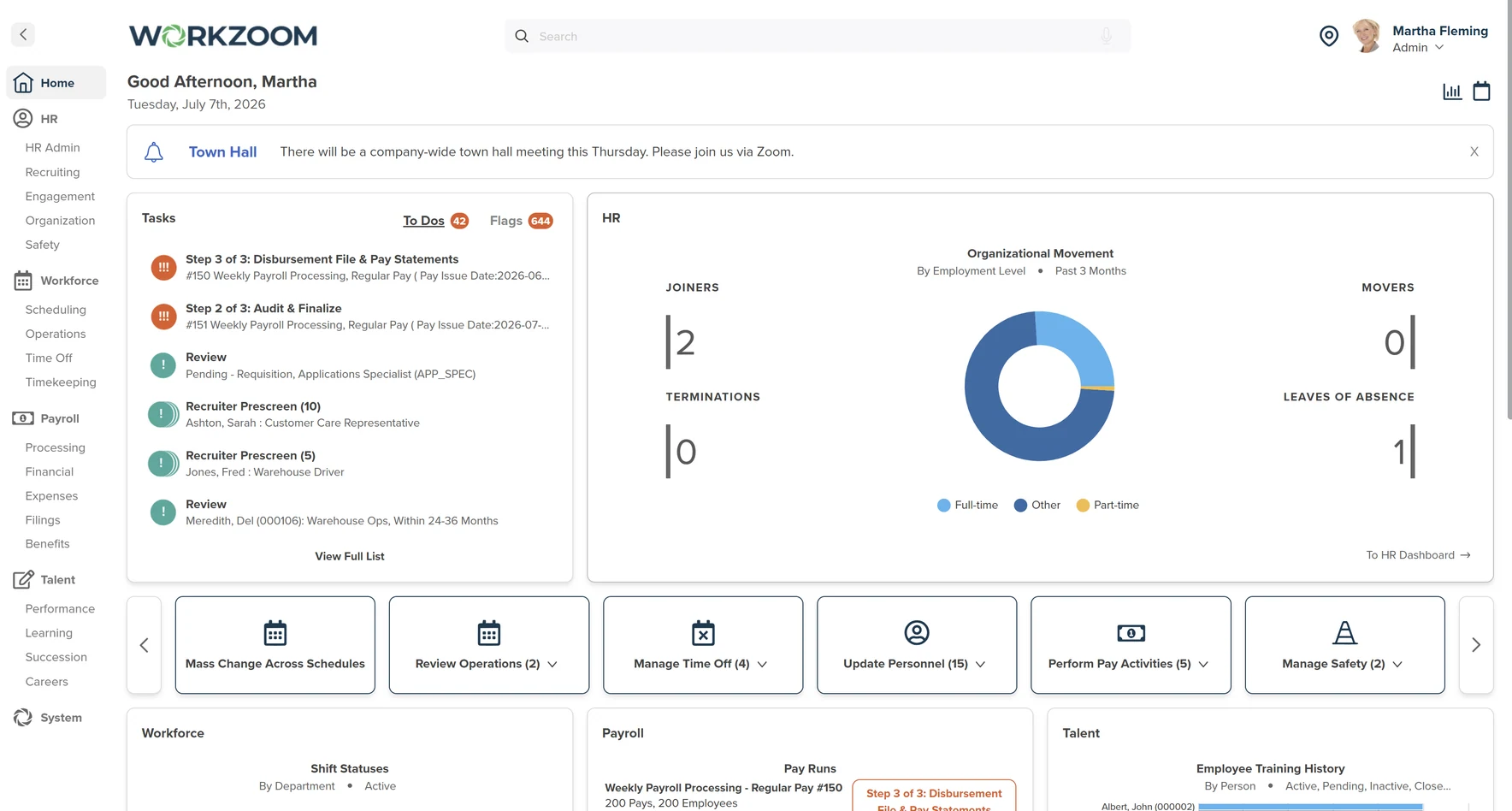
One set of year-end slips for each employee, from one system.
"We wanted to align with the pay period so we didn't have to have two T4s." Crystal Murray, Silvera for Seniors.
Plan it in the fall. Switch on pay period 1.
We take the migration off your desk. You send one well-organized spreadsheet of your people. We map it and import it.
We take the leap of faith out of the first pay. Payroll runs beside your current provider until the numbers match. One or two runs is typically enough.
We take the calendar pressure off. If January does not work, a mid-year switch does. Year-to-date totals for each employee are loaded from your spreadsheet.
Workzoom runs live payroll in Canada, the United States, and the Bahamas.
What buyers ask before they switch.
The five questions that came up most on our 2026 walkthrough calls.
When to switch, step by step.
People go in first. Payroll runs beside your current provider late in the year, and your first live pay is the first pay period of the new one. The side-by-side runs set the pace, so leave room for them.
- 01Check your contractFind the date your current payroll contract ends.
- 02Load your peopleOne spreadsheet of employees, mapped and imported.
- 03Set your pay rulesYour policies, confirmed in a sandbox with your records.
- 04Run side by sideLate in the year, both systems run until results match.
- 05Pay period 1Your first live pay is the first of the new year.
- 06Close the old yearYour old provider issues the slips for the old year.
Clean employee data, clear pay rules and a team that can meet and decide keep a switch moving. More suites, more entities or data that arrives late take longer. The pace is set by your scope and your team.
Who does what at year-end.
Clear lines before you sign. We carry the setup. You keep the filing and the final say.
- The import: your people, mapped in from your spreadsheet
- The sandbox: loaded with your real records, safe to test in
- The side-by-side runs: payroll beside your current provider until results match
- The year-end slips: in Canada, your T4 slips and the file for the CRA
- The help: the same team from kickoff through your first year-end
- The date: pay period 1, or mid-year if that suits you better
- The sign-off: nothing goes live until your numbers match
- The filing: you submit the file from your own CRA account
- The old year: slips for months paid through your old provider come from it
- The archive: pay records in Workzoom start at your first live pay, so keep the older ones
The questions, and what we say.
The answers our team gives on calls, including the ones that are not a yes.
Yes. Keep your current provider while Workzoom is set up, and leave a gap before you phase it out. That gap is where the side-by-side runs happen.
Side-by-side runs are standard and included. Once the results line up with what you already process, you move payroll over.
No. Workzoom generates the T4 file and you upload it to your CRA account. You send your own remittances. That is different from a full-service bureau, so plan for it.
Only with real hours from your team. It means signing, sending your people spreadsheet and booking kickoff right away. The side-by-side runs are what slow a rushed start.
Yes, and many teams plan it that way. HR goes in first, then payroll and workforce at year-end, so there is no crossover in the middle of a year.
One Excel file of your people. First name, last name and hire date are the must-haves. We show you the format at kickoff and upload it for you.
Plan a walkthrough.
Real product, real questions, no slides. Starts at $4 per employee per month, CAD or USD, with no initial setup fees.
A price you can work out yourself.
$4 per employee, per suite, each month. HR is the foundation, and you add payroll, workforce and talent when you need them. See pricing.
Implementation, data migration, configuration, and training are included in the subscription at no additional cost. Extensive custom development, custom-built reports or integrations, or a full re-implementation are the only exceptions, quoted and approved in writing before work starts.
There are no initial setup fees.
No long-term contract. Month-to-month, 30 days' notice.
Questions about switching payroll
Plan your switch before the year turns.
Book a walkthrough and bring the date your current payroll contract ends. For organizations with 50 or more employees. See our minimums.
The cleanest time to switch payroll providers is the first pay period of a new year, so each employee gets one set of year-end slips from one system.
A mid-year switch also works, with year-to-date totals loaded for each employee.
Workzoom runs live payroll in Canada, the United States, and the Bahamas, and payroll runs side by side with your current provider until the results match.
Implementation, data migration, configuration, and training are included in the subscription at no additional cost. Extensive custom development, custom-built reports or integrations, or a full re-implementation are the only exceptions, quoted and approved in writing before work starts.