 Canada
 United States
 Bahamas
 Jamaica
 Trinidad & Tobago
 Antigua & Barbuda
 Barbados
 Anguilla
7 HR Software Buying Mistakes That Cost Millions

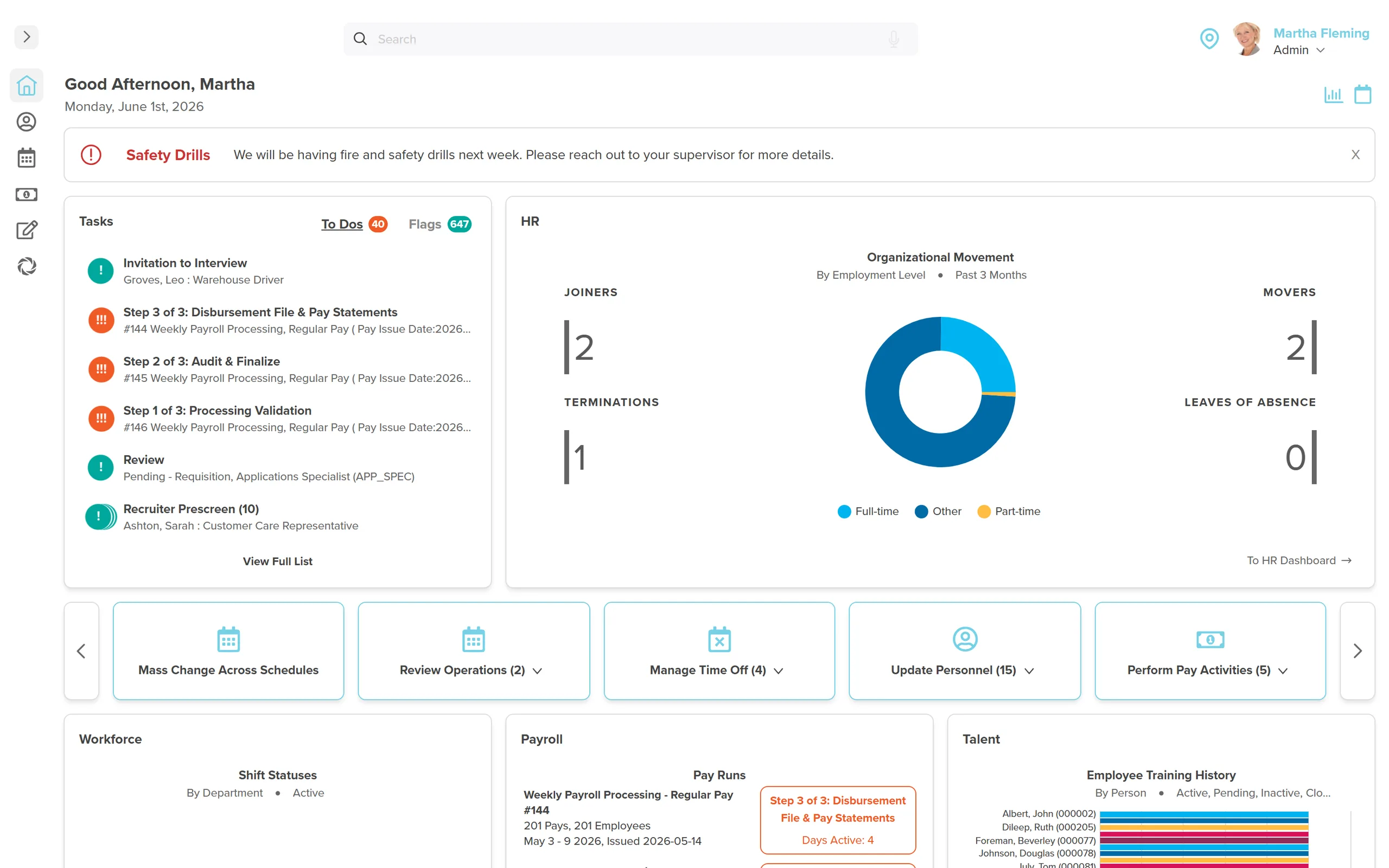
Organizations spend billions on HR software that never delivers what the demo promised. The sales team was convincing. The dashboards looked sharp. The integration roadmap made sense on a whiteboard. Then six months later, the payroll team is back in spreadsheets and the CFO is asking what happened to the budget.
The problem isn't the software industry being dishonest. It's that most organizations make the same buying mistakes, evaluating HR technology using criteria that sound reasonable but predict nothing about real-world success. They buy features instead of outcomes. They buy promises instead of proof.
Here are seven mistakes we've watched organizations make over 25 years of building people management software in Canada, and what the ones who got it right did differently.
Mistake 1: Choosing "Best-of-Breed" and Expecting It to Integrate
The pitch sounds logical. Pick the best recruiting tool, the best payroll engine, the best time tracking system, the best performance platform. Wire them together with APIs and you've got the dream stack.
Here's what you get: four vendors, four support teams, four update cycles, four contracts that renew at different times, and an IT team that spends half its week babysitting file transfers.
We worked with a municipality that had exactly this setup. Their payroll staff spent 80% of their time collecting data from other systems and only 20% auditing and processing payroll. That ratio should be inverted. When the person responsible for paying 400 employees is spending most of their day on data entry, something is structurally broken.
The alternative isn't settling for less. It's choosing a true all-in-one system where HR, payroll, workforce management, and talent all share a single database. (And if you're wondering whether to outsource HR entirely to a PEO instead of buying software, that's a separate decision worth examining.) Not integrated. Not synced nightly. One database. When an employee's job title changes in HR, it's immediately reflected in payroll calculations, schedule eligibility, and performance reviews. No export. No import. No waiting.
Integration is not the same as unification. Integrated systems move data between databases on a schedule. Unified systems share one database. The difference shows up every time something changes mid-pay-period.
Mistake 2: Evaluating Features Instead of Data Flow
Software demos are designed to impress. Dashboards with beautiful charts. AI-powered recommendations. Drag-and-drop schedule builders. Every vendor has learned to put the shiniest features in the first 20 minutes of a demo.
But here's the question that matters: what happens when someone clocks in?
In a fragmented system, the answer is painful. The punch goes to the time system. At the end of the pay period, someone exports a file. That file gets imported into payroll. A payroll admin manually calculates overtime based on the schedule (which lives in a third system). If there's an error, it shows up after paycheques have gone out, and now you're doing manual adjustments next period.
In a unified system, the answer is immediate. The punch hits the same database as the schedule and payroll. Overtime is flagged in real time. The manager sees it on their dashboard before the shift ends. Payroll picks it up automatically. No export, no import, no manual calculation, no post-paycheque corrections.
The features might look identical in a demo. The data flow is what determines whether you spend Friday afternoons fixing errors or not.
Mistake 3: Accepting an 18-Month Big-Bang Implementation
The traditional HR software implementation looks like this: spend months on requirements gathering, pay $15,000 to $75,000 upfront before anyone touches the system, wait 12 to 18 months for full deployment, and hope the person who managed the project is still employed when it finally goes live.
Sierra-Cedar's HR Systems Survey found that the average enterprise HRIS implementation takes 14 months. That's the average. Plenty take longer.
Here's what happens at month 8: the implementation lead leaves the company. At month 12: the CFO starts asking why the system that was supposed to save money has only cost money so far. At month 14: someone suggests going live with a partial deployment, which means half the organization is on the new system and half isn't, which is worse than having no new system at all.
We spoke to a manufacturing company with 120 employees. The HR manager wanted something simple: she wanted to stop printing pay stubs. That was the starting point. The full-stack quotes she received ranged from $25,000 to $36,000 per year in licensing, plus $15,000 to $25,000 in implementation fees, for a company where the initial ask was electronic pay stubs.
The iterative approach works differently. Get payroll running in 30 days. Add time tracking in the next cycle. Layer in performance management when the team is ready. Each phase delivers value before the next one starts.
| Factor | Big-Bang Implementation | Iterative Implementation |
|---|---|---|
| Time to first value | 12-18 months | 30 days |
| Upfront cost | $15K-$75K | $0 |
| Risk if project lead leaves | Catastrophic | Minimal (each phase is self-contained) |
| User adoption | Big bang, high resistance | Gradual, high comfort |
| Annual licensing (120 employees) | $25K-$36K/year | $5,760-$23,040/year |
First value in 30 days, not 18 months
Workzoom implementations start with what matters most to you and expand from there. No upfront fees. $4/employee/month per suite. Month-to-month, cancel anytime.
Book a 30-Minute Discovery CallMistake 4: Buying for Today Without Thinking About Tomorrow
The organization has 150 employees and needs better payroll. The system they pick handles 150 employees beautifully. Two years later they're at 300 and the cracks are everywhere.
We see this pattern repeatedly in post-secondary housing operations, where the workforce mix is unlike anything a basic HRIS anticipates. Full-time facilities staff, seasonal residence advisors, part-time desk workers, contract maintenance crews, sometimes across dozens of locations. Schedules posted on walls. Absences reported by voicemail. Certifications tracked in filing cabinets.
A system that works for 150 salaried employees in one location will buckle under that complexity. The question isn't whether your organization will grow or change. It's whether your software can handle the version of your organization that exists in three years.
Ask your vendor what happens when you double in size, add a new province, or acquire a company with a different pay structure. If the answer involves a migration project or a different product tier, that's a system you'll outgrow.
Mistake 5: Treating Compliance as a Checkbox
"Is the system compliant?" is the most common compliance question in an HR software evaluation. "Yes" is the most common answer. It's also the most useless answer.
Compliant with what, exactly? CRA remittance rules? Provincial employment standards for all 13 jurisdictions? Quebec's CNESST and RRQ requirements, which operate on completely different rules than the rest of Canada? Statutory holiday calculations that vary by province and sometimes by municipality?
Compliance in Canadian HR isn't a single checkbox. It's dozens of overlapping federal, provincial, and municipal requirements that change on different schedules. A system that was compliant when you bought it in January might not handle the Employment Standards Act changes that took effect in April.
We've seen organizations lose operating licences because employee certifications expired and nobody was tracking them. Not because people were negligent, but because the tracking was manual, and manual tracking doesn't scale. When you have 50 employees with 3 certifications each, that's 150 expiry dates. Someone will miss one.
Mistake 6: Forgetting That Managers Are End Users Too
HR buys HR software. This makes sense. But the result is that every feature gets evaluated from an HR administrator's perspective. Will it make my job easier? Does it give me better reports?
Meanwhile, the 30 managers who will use the system daily are nowhere in the evaluation process. These are the people who need to approve time-off requests, review timesheets, acknowledge schedule changes, and complete performance reviews. When the system is clunky or confusing for them, they don't file a complaint. They stop using it.
The result is a shadow system. Managers approve leave by email. They track schedules on whiteboards. They rubber-stamp approvals in the system without reviewing anything because the interface is too painful to navigate properly. HR ends up with a system full of data that nobody trusts.
The best HR systems are nearly invisible to managers. Time-off approvals take one tap. Schedule changes push a notification. Performance reviews have clear prompts that don't require a training session. If a manager needs a manual to use your HR software, the software has failed its most important test.
Mistake 7: Buying Software When You Needed a Partner
Employment law changes. Organizations restructure. Payroll rules get updated every January. The software you buy today needs to keep up with a regulatory environment that never sits still.
But more than that, you need a vendor who adapts to your organization, not only to legislation. Dedicated implementation specialists who learn your business, not a rotating cast of consultants who ask the same discovery questions every time you call.
We've worked with regional governments managing complex multi-union environments. Multi-site healthcare organizations where each facility has different scheduling rules. Caribbean gaming operations where the regulatory framework is nothing like what Canadian-built software typically handles. In every case, the technology mattered less than the relationship. The software was table stakes. The partnership is what made it work.
When you're evaluating vendors, pay attention to who shows up after the contract is signed. Is it the same team that did the demo? Or is it a support queue with a ticket number?
Software solves today's problems. A partner solves next year's problems before you even know they exist. Ask vendors who will manage your account after go-live and what happens when you need something the system doesn't do yet.
The Questions That Catch HR Software Buying Mistakes Early
Forget the standard RFP. Most of those questions are designed to generate "yes" answers that tell you nothing. Here are the questions that separate vendors who will deliver from vendors who will disappoint.
On integration: "How many databases does your system use? When I change an employee's job title, how long before that change is reflected in payroll, scheduling, and reporting?"
On data flow: "Walk me through what happens when an employee clocks in for an overtime shift. Where does that data go, and what human intervention is required before it reaches payroll?"
On implementation: "What's the fastest we can get payroll running? What does the first 30 days look like? Can we add modules incrementally?"
On total cost: "What's the all-in price for the first year, including implementation, training, and every fee you charge? What about year two?"
On the relationship: "Who will be our primary contact after go-live? How long has your average client been with you? Can I talk to three clients who've been with you for more than five years?"
If a vendor can't answer these questions clearly and specifically, that tells you everything you need to know.
Skip the mistakes. Ask us the hard questions.
Workzoom is a true all-in-one: HR, workforce management, payroll, and talent in a single database. Built in Canada for Canadian organizations. $4/employee/month per suite, no implementation fees, month-to-month.
Book a 30-Minute Discovery CallSee Workzoom in 30 minutes.
Real product, real questions, no slides. Starts at $4 per employee per month, CAD or USD, with $0 setup fees.
What readers ask after this post on HR software buying mistakes.
Our clients
The teams that run their people on Workzoom.













Workzoom handles HR, payroll, workforce, and talent on one employee record. Book a 30-minute walkthrough.