
Manage the entire employee lifecycle in one connected suite.
Six modules. One employee record. Recruit, onboard, manage personnel, define your organization, measure engagement, and plan compensation without re-entering data or stitching tools together.

Trusted by teams running HR and payroll on Workzoom
From 50-employee nonprofits to 850-employee enterprises across 7 countries.









Six modules. One employee record. Zero re-entry.
Every module shares a single database with date-effective records, position-based hierarchies, and suite-based security across Admin, Manager, and Employee dashboards.
Built for organizations with 50 to 5,000 employees across Canada, United States, Bahamas, Jamaica, Trinidad & Tobago, Antigua & Barbuda, and the United Kingdom. From $4 per employee per month.
Streamline your entire hiring process
Built-in applicant tracking with resume parsing, automated screening, and a career page builder. When a candidate accepts an offer, their data flows directly into Onboarding without anyone re-entering information. No standalone ATS needed. The same employee record used in recruiting becomes the permanent record in Personnel, Payroll, and every other suite.
- Resume Parsing
- Automated Screening
- Career Page Builder
- Direct Onboarding Handoff
County of Renfrew (900 employees) maintained HR headcount while increasing hiring volume using automated resume parsing and screening.
Read their story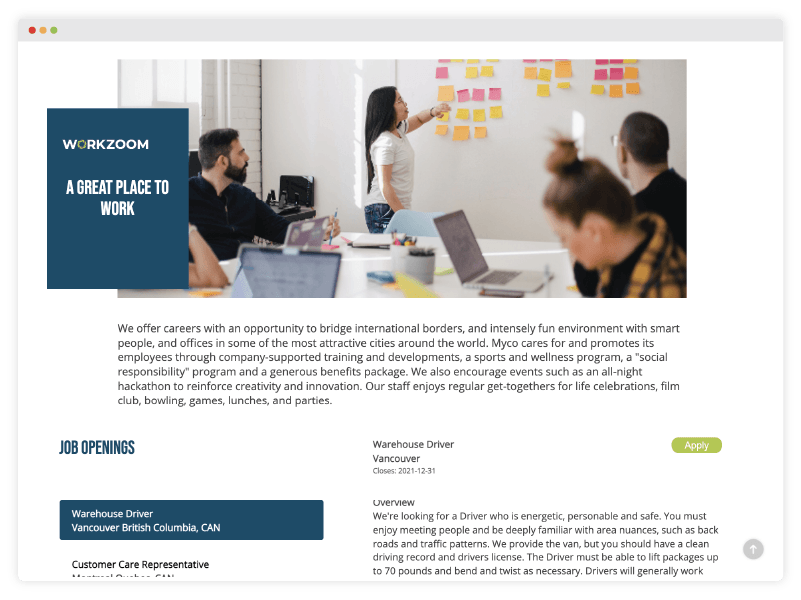
Onboard and offboard with full history retained
New hires complete paperwork, upload documents, and finish compliance training before day one through a self-service portal. Automated checklists assign tasks to HR, IT, the manager, and the new hire with deadlines and reminders. When employees leave, offboarding workflows handle equipment returns, access revocation, and exit documentation. Records are never deleted. Inactivate, close, and reactivate as needed for rehires, seasonal returns, or contract renewals.
- Digital Onboarding
- Offboarding Workflows
- Automated Checklists
- Work Permit Tracking
32 employees onboarded in 3 months at County of Renfrew with zero paper forms. Safety training completed before day one.
Read their story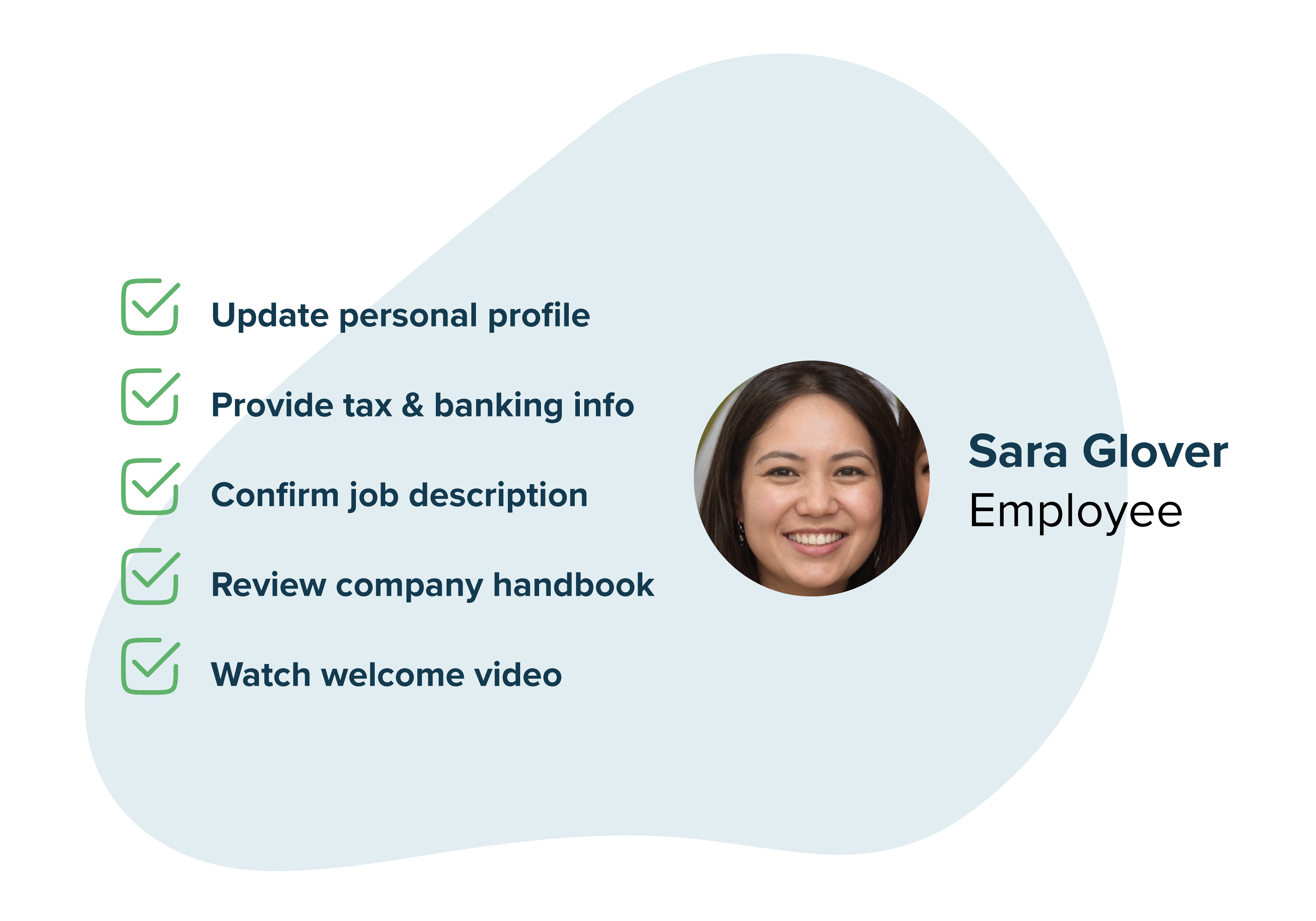
Date-effective records that never lose history
Every change to an employee record is date-stamped and preserved. Promotions, transfers, pay changes, status changes. Nothing gets overwritten. Look at any point in time and see exactly what the organization looked like on that date. Most mid-market HRIS platforms overwrite data when changes happen. Workzoom's single-database architecture preserves the complete timeline for compliance, auditing, and accurate historical reporting. Multi-entity support manages multiple companies or legal entities under one account.
- Date-Effective Records
- Suite-Based Security
- Admin / Manager / Employee Dashboards
- Multi-Entity Management
Cable Bahamas (850 employees) consolidated scattered employee data across multiple companies into one centralized platform.
Read their story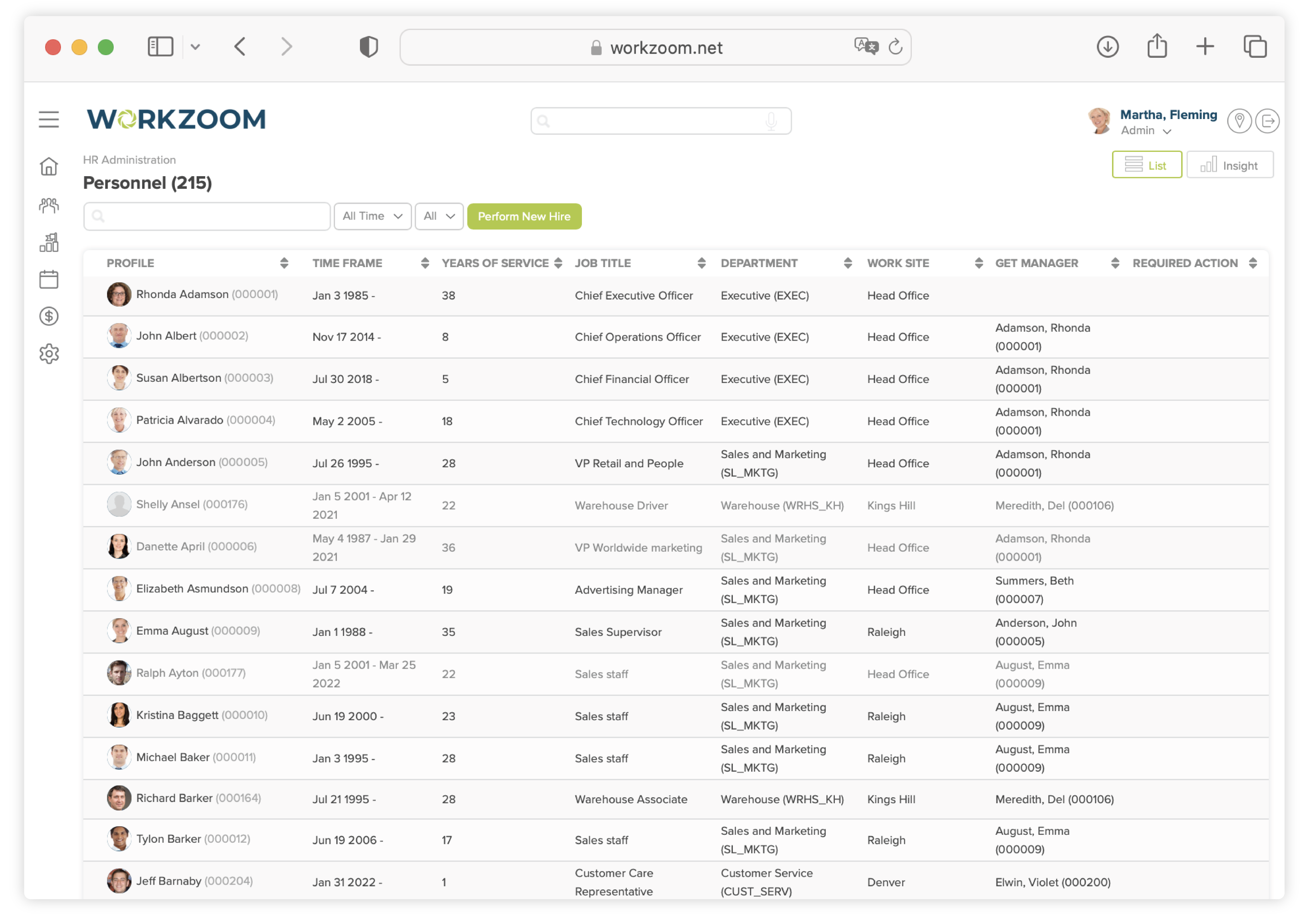
Native worksite, department, and job hierarchies
Three built-in hierarchies define your organizational structure. Positions exist independently from the people in them so you can track vacancies and plan headcount. Reporting lines drive approval workflows in Time Off, Expenses, and Recruiting automatically. Payroll uses cost center mappings for journal entries. Scheduling inherits location assignments. Set it up once and every other suite follows the structure.
- Position-Based Management
- Interactive Org Charts
- Multi-Location Support
- Approval Workflow Routing
Island Luck (850 employees) organized 60+ gaming locations across the Bahamas with clear hierarchies and centralized oversight.
Read their story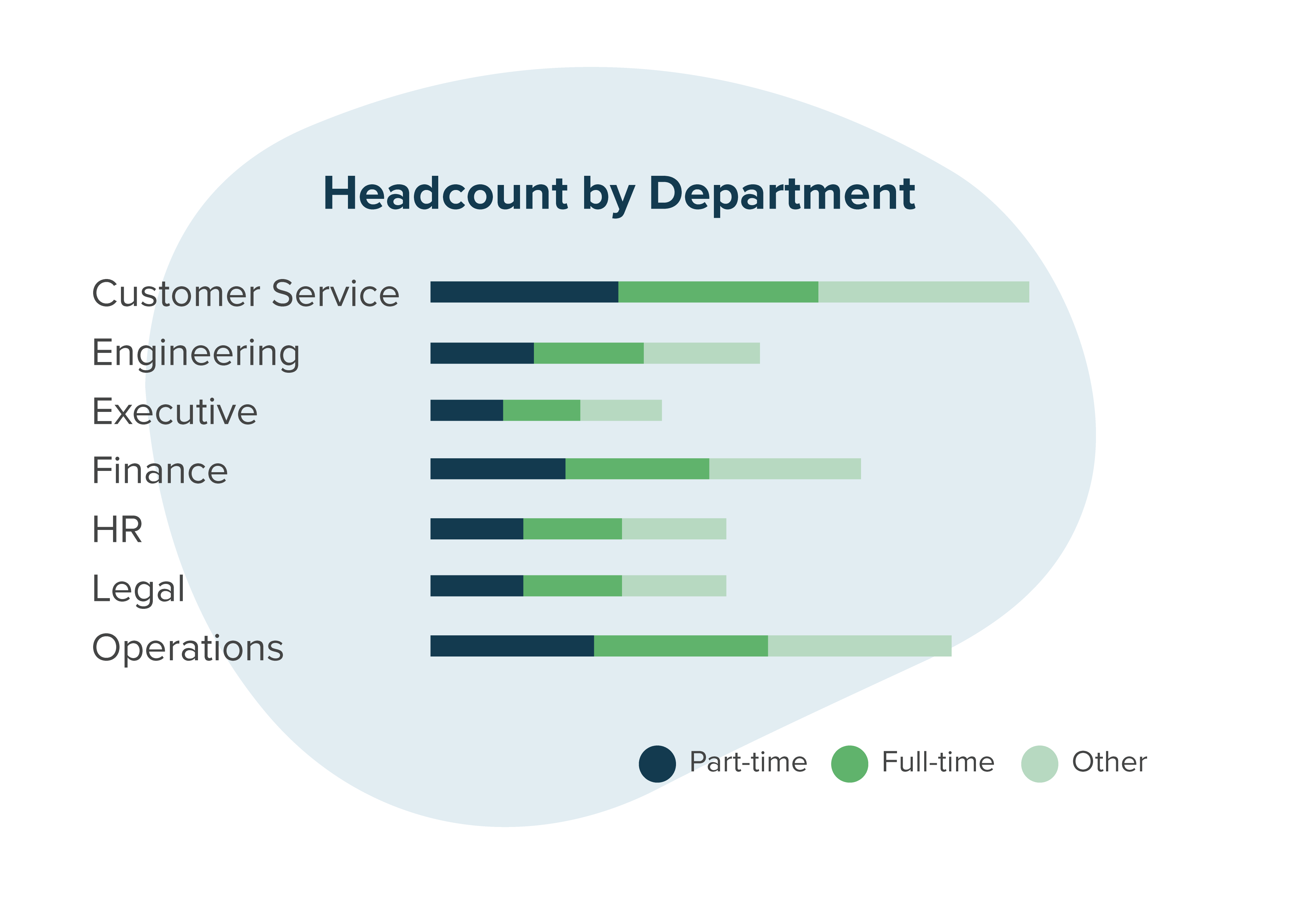
Listen to your people. Measure what matters.
Pulse surveys, engagement surveys, and exit surveys with anonymous feedback and real-time favorability scoring. Target surveys by department, location, or role. Because engagement data sits alongside performance data, turnover data, and compensation data in the same database, you can correlate engagement scores with actual business outcomes without exporting and cross-referencing spreadsheets.
- Pulse & Engagement Surveys
- Anonymous Feedback
- Targeted Communications
- Favorability Scoring
DCAG replaced an external survey platform with integrated engagement surveys across multiple dealerships, with visual reports and full-text comment analysis.
See client stories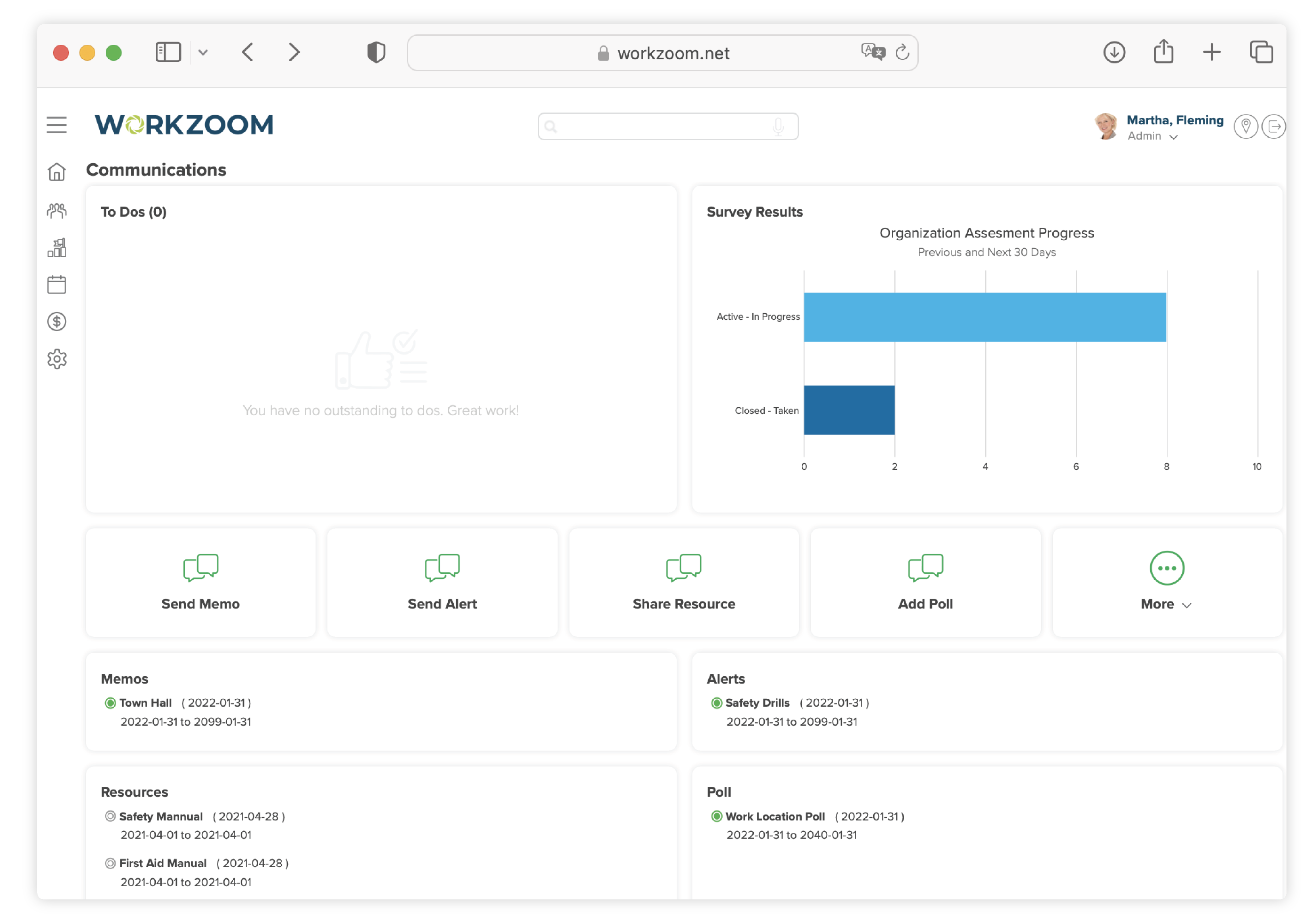
Pay structures and total rewards in one place
Define salary bands by role and location, run compensation planning cycles, and give employees visibility into their total rewards. Sits between Personnel (which holds current pay data) and Payroll (which processes it). When you approve a merit increase or adjust a salary band, the change is stored as a date-effective record and Payroll picks it up automatically on the next run. No spreadsheet handoffs.
- Pay Structure Management
- Total Rewards Statements
- Compensation Planning
- Multi-Currency Support
64 built-in HR reports. Filter, customize, and export.
Every report pulls from the same single database. No exports from multiple tools, no stitching spreadsheets together, no hour spent formatting raw data for leadership. Filter by date range, status, or any grouping. Customize columns and parameters with the drag-and-drop report editor. Get summary views with drill-down detail on every report. FusionCharts powers the visual layer with configurable chart types.
- Filterable
- Customizable Columns
- Summary + Detail Views
- Visual Charts
- Drag-and-Drop Editor
- Date Range Filtering


Decentralize HR. Let your people own their world.
Employee self-service and manager self-service built into one platform. Stop funneling every request through HR. Employees manage their own information, onboarding, and life events. Managers handle their teams directly. HR focuses on strategy instead of admin.
Employee self-service that actually gets used
Employees log in and see their tasks, schedule, pay, benefits, time off, and profile. They submit requests, view pay stubs, update personal info, and complete onboarding steps without ever going through HR. No tickets. No waiting.

Onboarding Workflow
Welcome video from leadership, personal info collection, emergency contacts, bank details with country-specific banks, fillable tax documents (TD1, W-4, Caribbean forms), compliance policies to sign off on, handbooks, and embedded video content to review and acknowledge.
Personal Profile
View and update personal info, contact details, emergency contacts, banking, and dependants. Changes are audited by HR and managers. Life event triggers like getting married, expanding the family, or moving handle multi-step updates automatically.
Career & Recruiting
View internal job openings, update career info, manage job applications, update references and education. External career page with company branding, values, and location-based job filtering for public applicants.
Pay & Benefits
View pay stubs, tax statements, total compensation breakdown with base, benefits, and entitlements. See active benefit plans, coverage type, and enrollment status. Download employment verification letters on demand.
Schedule & Time Off
View upcoming schedule, submit time off requests, see PTO balances in real time, enter long-term leave, and request banked time or vacation payouts. Calendar view shows shifts and upcoming timesheet deadlines.
Tasks & To-Dos
Centralized task list with flagged items and required actions. Performance self-assessments, compliance acknowledgements, document reviews, and onboarding steps all surface as actionable to-dos on the dashboard.
Manager self-service with full team oversight
Managers see their entire team at a glance: profiles, org movement, shift statuses, training history, recruiting pipeline, and engagement tools. They take action directly from their dashboard without submitting tickets to HR.

Team Profiles
Full visibility into every team member's profile, assignment details, work details, compensation, emergency contacts, and business relationships. Filter by active, inactive, or pending status. View direct and indirect reports.
Recruiting & Hiring
Create job openings, review applicants, manage the hiring pipeline, and post jobs internally at different dates than external postings. See active requisitions, applicant counts, and job definitions all from one recruiting dashboard.
Engagement Tools
Post memos, send alerts, create polls and surveys, add resources, schedule calendar events, and manage committees. Survey results with assessment tracking and targeted communications to specific teams or groups.
Reporting & Insights
Organizational movement tracking with joiners, movers, terminations, and leaves of absence. Workforce shift statuses, training completion by employee, and recruiting pipeline health all visible from the manager dashboard.
Quick Actions
Offer shift vacancies, mass schedule changes, submit time off on behalf of employees, add missing punches, delegate authority, request compensation changes, and register disciplinary actions. All from the action bar.
Tasks & Approvals
Assign colleague reviews, set upcoming schedules, review daily exceptions, approve leave requests, and manage onboarding tasks for new hires. Flagged items surface with priority indicators so nothing gets missed.
Proven results
High Performer Across Every Core Function
Independently verified. Consistently rated. Built for mid-market teams.
 Core HR
 Payroll
 Workforce
 Time Tracking
 Capterra
 Software Advice
See the HR Suite in action.
Pick a time. We'll walk through recruiting, onboarding, personnel, and the rest of the suite with your team's setup in mind.
Trusted by Cable Bahamas, Island Luck, County of Renfrew, Silvera for Seniors, and more.
Frequently asked questions about Workzoom's HR software.
What the HR Suite includes, how it connects to the rest of the platform, and what to expect during setup.
-
Workzoom provides three dedicated dashboards controlled by suite-based security. Admins get full access to all employee records, organizational structure, reporting, and configuration. Managers see their direct reports' data, process approvals, view team reports, and manage day-to-day requests. Employees get self-service access to view pay stubs, request time off, update personal information, access documents, and manage their own profile. Field-level security controls let you fine-tune exactly what each role can see and edit across every HR module.
-
Every change to an employee record is date-stamped and preserved. When someone gets promoted on March 1, the system keeps their old title, department, pay rate, and reporting line intact through February 28 and applies the new data starting March 1. Nothing gets overwritten. You can look at any point in time and see exactly what the organization looked like on that date. This matters for accurate historical reporting, audit compliance, retroactive payroll adjustments, and answering leadership questions about how things looked at any moment in the past.
-
Core modules included with every deployment are Personnel (employee records, dashboards, self-service), Organization (worksites, departments, jobs, org charts), and Compensation (pay structures, salary bands, total rewards). Optional modules you add based on need are Recruiting (applicant tracking and resume parsing), Onboarding (digital checklists and document collection), and Engagement (surveys, polls, and internal communications). All six modules share the same employee record and database.
-
The three hierarchies you define in Organization (worksites, departments, and jobs) ripple across the entire platform. Approval workflows in Time Off, Expenses, and Recruiting route to the right managers based on reporting lines. Payroll uses cost center mappings for journal entries and financial reporting. Scheduling knows which employees belong to which locations. Performance reviews follow the reporting structure for manager evaluations. Engagement surveys can be targeted and reported by department, division, or location. Set it up once and everything else inherits the structure.
-
Yes. Personnel supports multi-entity management, so organizations running multiple companies or legal entities manage all of them from one platform. Each entity maintains its own compliance rules, pay structures, and reporting while rolling up to a unified view. This is especially valuable for holding companies, multi-location operations, and organizations operating across countries where each jurisdiction requires separate legal entities. Workzoom currently supports payroll and HR compliance in Canada, the Bahamas, Jamaica, Trinidad and Tobago, and more.
-
Records are never deleted. When an employee leaves, their record is inactivated or closed depending on the circumstance. The full history of their employment, including every change, document, and approval, stays intact permanently. If they come back (rehire, seasonal return, contract renewal), you reactivate their record and all prior history is still there. If you have the Onboarding module, offboarding workflows handle exit tasks like equipment returns, access revocation, and final documentation automatically.
-
Compensation sits between Personnel (which holds current pay data) and Payroll (which processes it). When you define salary bands, run a compensation planning cycle, or approve a merit increase, those decisions are stored as date-effective changes in the employee record. When Payroll runs, it pulls the correct compensation data for that period automatically. No manual handoff, no re-entry, no risk of the wrong rate being applied because someone forgot to update a spreadsheet.
-
You provide a well-organized spreadsheet with core information like names, roles, compensation, and hire dates. Your implementation coach handles mapping and importing, typically completing one to two imports within days. You validate and adjust data directly in your sandbox environment before going live. For organizations adding Payroll, year-to-date amounts and leave balances are also imported for validation through parallel runs. The whole process is designed to get your personnel data loaded fast so you can start building on it.
-
That is exactly how it is designed to work. Many organizations start with the HR Suite to get their people data, org structure, and compensation right, then add Workforce for scheduling and time tracking, or Payroll for pay processing. Because everything runs on the same employee record, turning on a new suite is not a migration. Your data is already there. You configure the new module and go. No re-entry, no duplicate data, no integration headaches. See pricing details.
-
The HR Suite creates and manages the single employee record that every other suite depends on. Payroll needs employee data and compensation details to process pay. Workforce needs organizational structure to build schedules and route approvals. Talent needs reporting lines for performance reviews. Without Personnel and Organization as the foundation, the other suites have no data to work with. It is the starting point for every Workzoom deployment at $4 per employee per month.