
Employee scheduling software that sets the plan your timekeeping, payroll, and compliance all follow
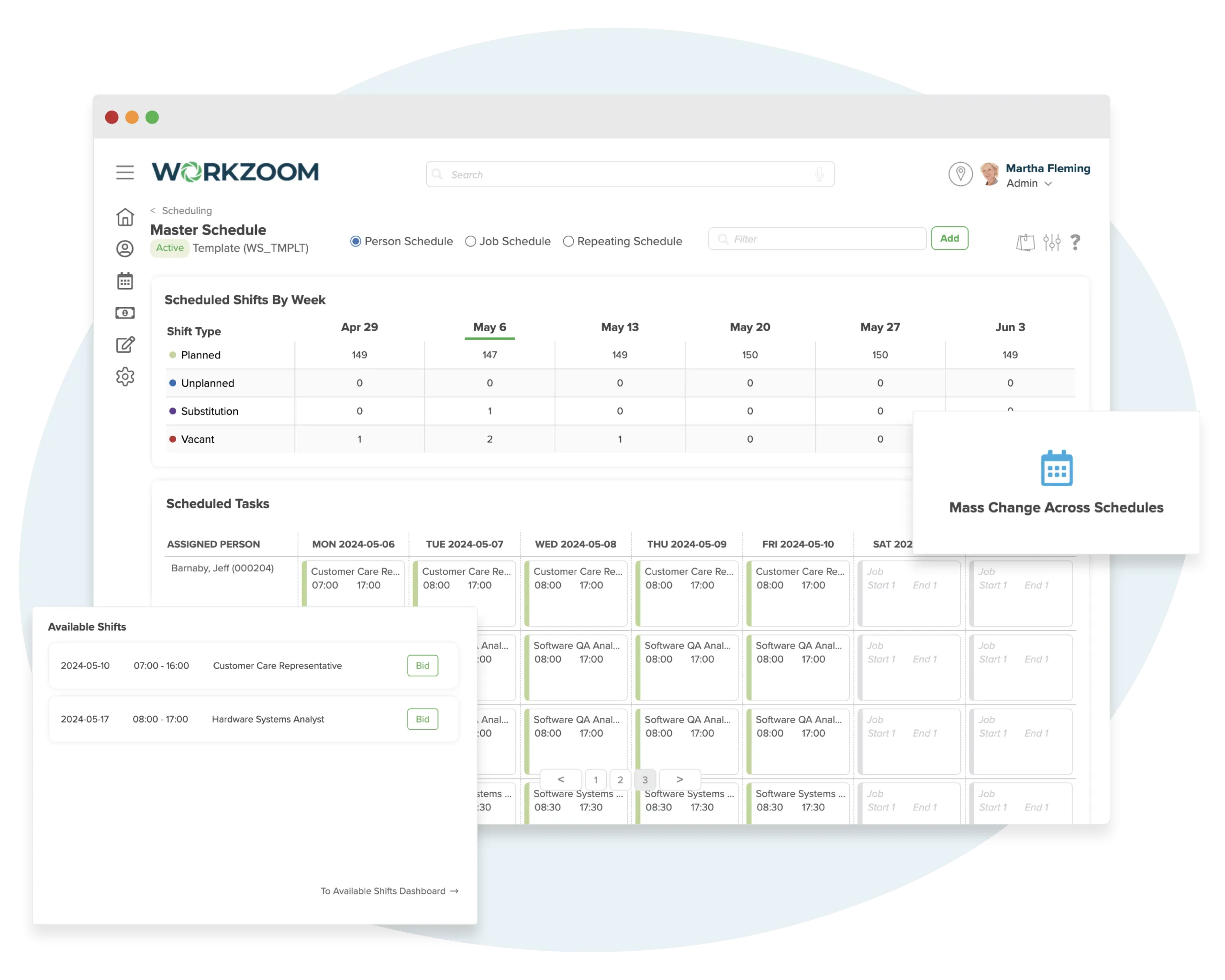
Build shift schedules from templates, fill vacancies from a ranked list of qualified staff, and let employees bid on open shifts or sync schedules straight to their calendars. Scheduling in Workzoom is connected to your employee records, time tracking, and payroll so every shift decision is informed by real data.
The real problem
Your schedule lives in a spreadsheet that talks to nothing
Managers build schedules without seeing who's qualified, available, or approaching overtime.
The schedule is a spreadsheet or a standalone app. Employee qualifications live in HR. Leave balances live in time off. Overtime limits live in payroll policy. The person building the schedule can't see any of it. Every shift assignment is an educated guess.
When a shift opens up, someone starts making phone calls.
An employee calls in sick at 6 AM. The manager pulls up a contact list and starts dialing. They don't know who's qualified for that specific role. They don't know who's already at their weekly hours limit. They don't know who said they're available on Tuesdays. They just call people until someone says yes.
Overtime surprises show up in payroll, not in the schedule where they could have been prevented.
The schedule says one thing. The timesheet says another. Payroll has to reconcile the difference. Scheduled hours don't compare to actual hours until after the pay period closes. By then the overtime is already on the books. Nobody caught it because scheduling, timekeeping, and payroll are three separate systems.
Build the schedule. Fill it with qualified people. Connect it to everything.
Schedules created here drive Timekeeping actuals and Payroll processing. The schedule is the plan. Everything else executes against it.
Fill every vacancy from a ranked list of qualified staff
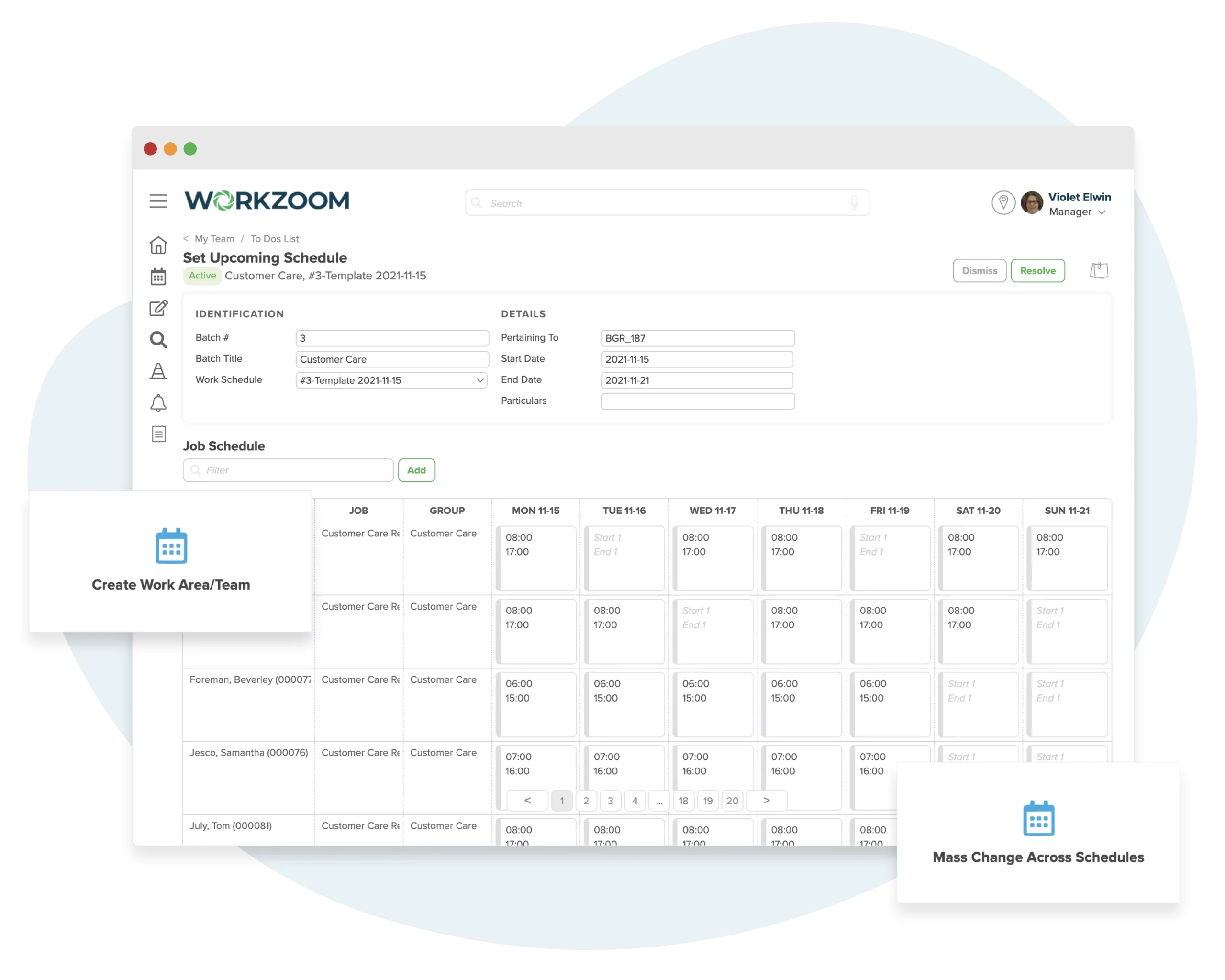
Vacancies surface automatically from approved leaves, shift drops, terminations, and work requirement changes. Managers see a ranked list of who can fill each shift based on skills, availability, hours worked, and compliance limits. Assign directly or offer shifts to multiple people at once.
- Real-time vacancy detection across all schedule sources
- Qualified fill lists ranked by skills, availability, and compliance
- Add extra shifts to open schedules to increase capacity on demand
Enforce overtime, breaks, and hour limits before the shift is assigned
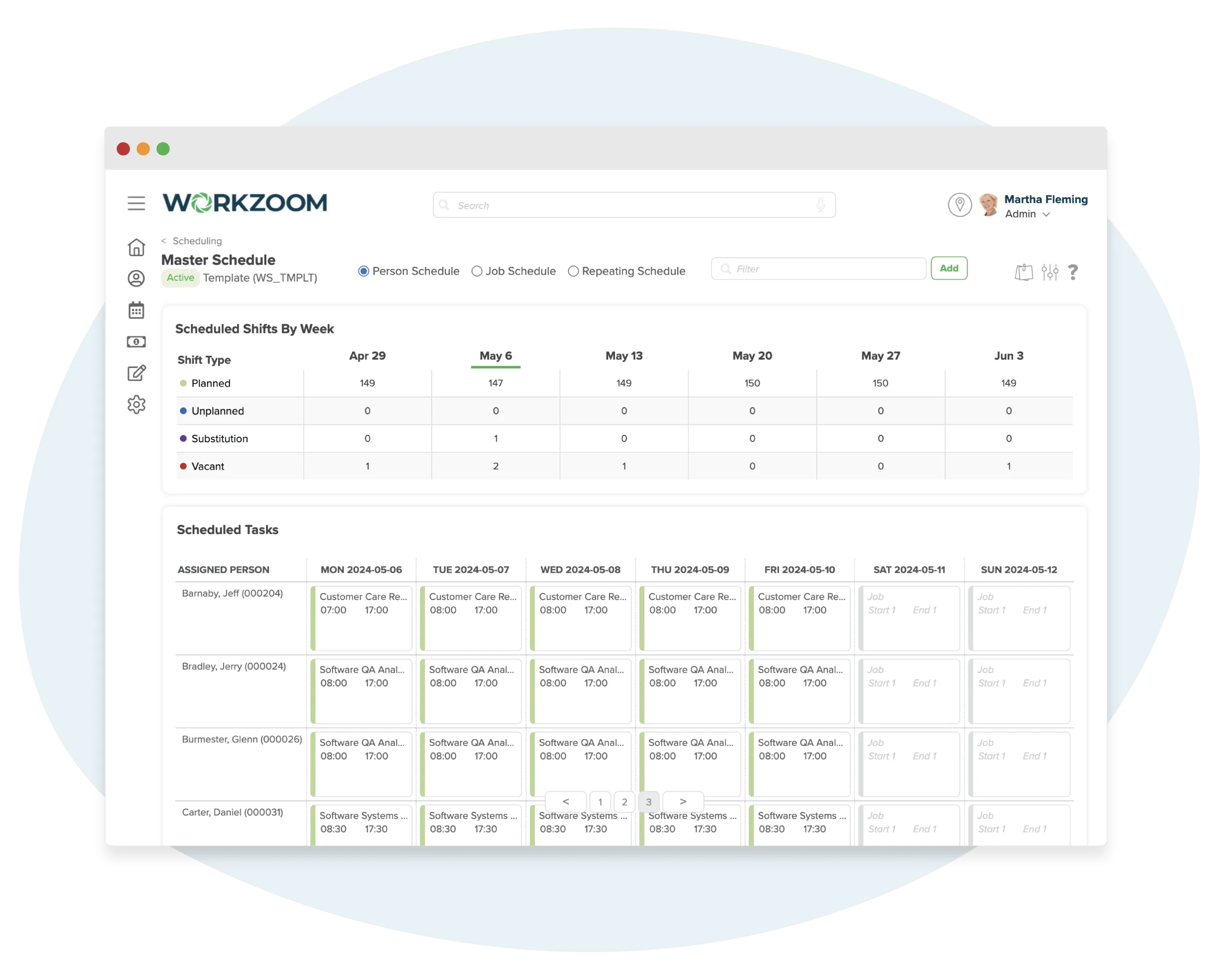
Compliance is checked at the scheduling stage, not discovered in payroll after the damage is done. Build schedules from repeating patterns, generate them automatically on a set frequency, and distribute to supervisors in batches. Crossover shifts account for work on the correct day based on your policies.
- Repeating patterns with automatic batch generation on a set frequency
- Crossover shift handling based on company day-boundary policies
- Overtime, break, and max-hour rules enforced in the schedule, not after
Give employees real-time access to their schedules everywhere
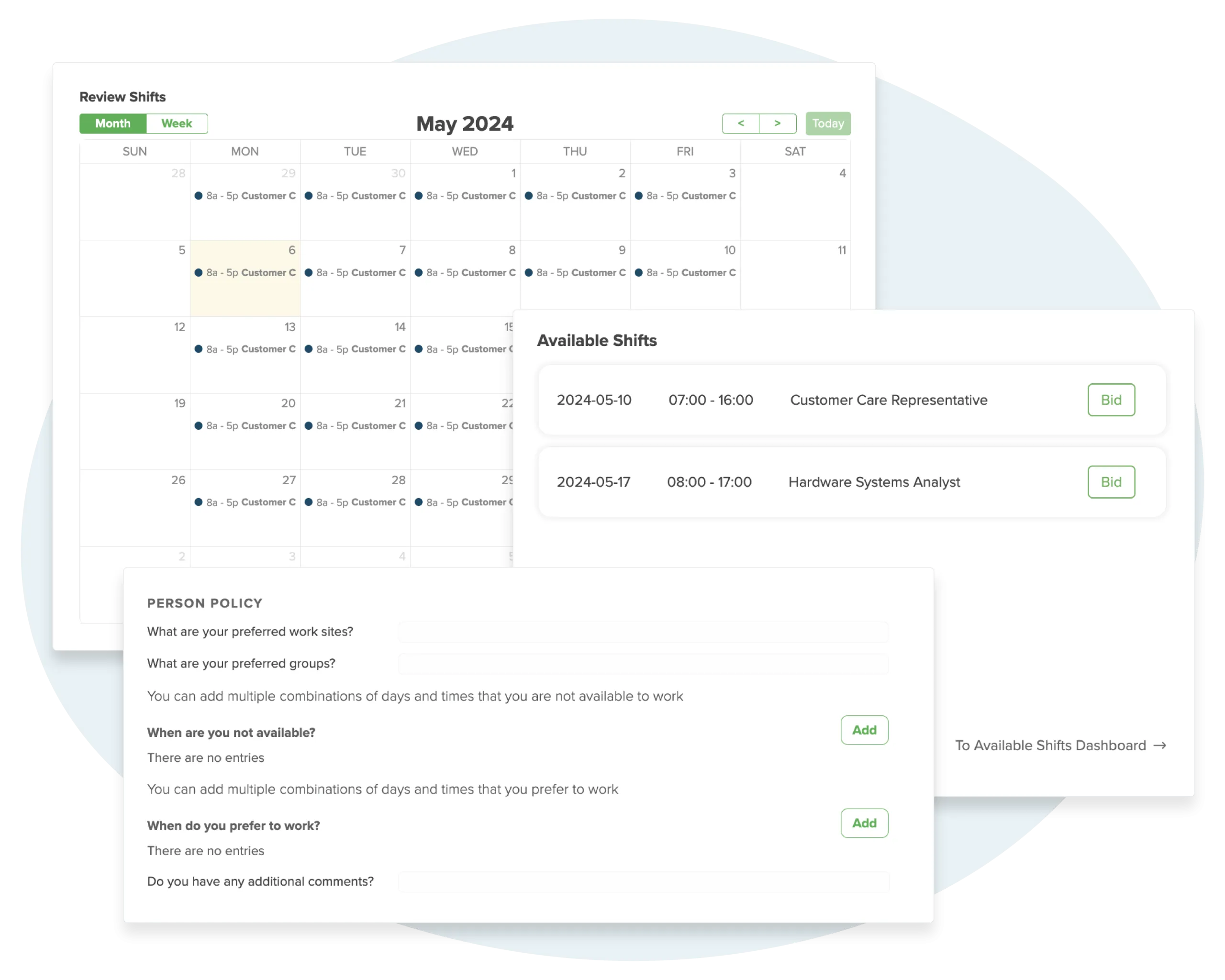
Schedules push to employees through self-service with direct sync to Google Calendar, Outlook, or Apple Calendar. Changes reflect immediately. Managers can post open shifts for qualified staff to bid on. Printable extracts are available for workplaces that need physical copies.
- Calendar sync to Google, Outlook, and Apple with real-time updates
- Shift bidding through self-service with manager review and approval
- Auto-generated call-out lists and printable schedule extracts
Schedule it. Then verify it.
7 ways to clock in
against the schedule.
The schedule is the plan. Clocking captures what actually happened. Every punch compares against the scheduled shift in real time, so variances surface before they hit payroll.
See All Clocking MethodsMobile App
iOS & Android with GPS
Biometric
Fingerprint & facial
GPS Geo-fencing
Location verified
Web Browser
Any device, no install
Scheduling that talks to every module it touches
Schedules pull from your org structure, feed hours into timekeeping, flag overtime for payroll, and backfill vacancies from approved time off. One change ripples everywhere.
Scheduling that sees your entire workforce, not just a calendar.
Standalone tools build schedules in isolation. Workzoom builds them with full visibility into qualifications, leave balances, compliance limits, and payroll.
Scheduling connected to everything
-
Qualified fill from real employee data. Skills, certifications, availability, and hours come from the HRIS, not a separate contact list
-
Compliance enforced before the shift is assigned. Overtime, breaks, and max-hour rules checked at scheduling, not discovered in payroll
-
Schedule feeds directly into timekeeping and payroll. One pipeline. No CSV exports, no manual reconciliation, no surprises
-
Leave balances visible when building the schedule. No more scheduling someone who's on approved time off
-
Shift bidding and calendar sync built in. Employees bid on open shifts and sync schedules to Google, Outlook, or Apple Calendar
-
$4/employee/month for the full Workforce suite. Scheduling, timekeeping, time off, and clocking included. No per-feature add-ons
Scheduling that operates blind
-
No access to employee qualifications or certifications. Managers guess who's qualified for each shift
-
Overtime violations discovered after the pay run. No real-time visibility into hours worked across systems
-
Requires payroll integration. Data exports, sync errors, and two systems to maintain
-
No visibility into leave balances. Scheduling conflicts surface when employees report it themselves
-
Shift swaps only. No qualified fill lists ranked by skills, compliance, and hours worked
-
$2-8/user/month for scheduling alone. Time tracking, payroll, and HR cost extra from other vendors
No setup fees. No long-term contracts.
How we get your scheduling up and running.
Your implementation coach builds schedules around the locations and teams you already have, wires them into timekeeping and payroll, and sets up vacancy rules so approved time off turns into open shifts your managers can fill in seconds.
Set Up Your Groups
First we organize people into work areas and teams. A work area is where someone reports. A team is where they actually work. So "Production" might be the work area, with "Assembly" and "Quality Inspection" as teams underneath it. Each team gets a supervisor who handles their schedules and approves leave requests. Simple hierarchy that mirrors how you actually run things.
Build Your Schedules
Two ways to do it. If your team's shifts change week to week, you create a repeating schedule, set a shift once, and it carries forward every two weeks. A chain link icon lets changes flow to all future shifts, or you can break the chain and adjust just one. If your team works the same hours every week (say 9 to 5 Monday through Friday), you set a default schedule and it generates automatically. Both types stay aligned to your pay period.
Define How Vacancies Get Filled
When a shift opens up, Workzoom shows your manager a ranked list of who can take it. You control the rules: does the person need the same job title? Specific certifications? You can score candidates by seniority or distance from the location, cap weekly hours so nobody gets overworked, and even let employees bid on open shifts. Your coach sets this up with you so the qualified fill list actually makes sense for your operation.
Connect Everything Else
Employees subscribe to their schedule from their dashboard and it shows up in Google Calendar, Outlook, or Apple Calendar on their phone. Managers get a "Set Upcoming Schedule" to-do item and can adjust shifts right from their dashboard. Behind the scenes, scheduled shifts flow into timekeeping so you can compare planned vs actual hours, and overtime and shift premiums feed straight into payroll.
See how scheduling actually works.
Pick a time and we'll build a schedule together. Repeating shifts, vacancy fill lists, calendar sync, and how it all connects to timekeeping and payroll without a separate scheduling tool.
Scheduling connects to Organization, Timekeeping, Time Off, Payroll, and Personnel across the full Workzoom platform.
Common questions about employee scheduling software.
More from Workforce.
View all WorkforceTimekeeping
Where the schedule meets reality. Timekeeping captures actual hours worked against scheduled shifts and flags variances before they reach payroll.
See how schedules become actualsTime Off
Where leave balances inform scheduling. Approved time off creates vacancies automatically, and balances are visible when managers build the schedule.
See how leave triggers vacanciesClocking
How employees punch in against their scheduled shifts. Biometric terminals, mobile GPS, and web clocking all tie back to the schedule for real-time comparison.
See clocking methods available