
Payroll software that runs on the data you already have.
Workzoom's Payroll Suite processes pay for organizations with 50 to 5,000 employees across 7 countries. Time flows in from clocking. Benefits deductions calculate automatically. Expenses route through approvals. Everything lands in a guided three-step pay run without manual imports or duplicate entry.

Trusted by teams running HR and payroll on Workzoom
From 50-employee nonprofits to 850-employee enterprises across 7 countries.












Payroll software that runs on real data, not re-entered data.
Time worked flows in from Timekeeping. Salary changes arrive from Personnel. Benefits deductions are calculated automatically. A guided three-step process validates everything, audits the numbers, then disburses pay and generates statements.
Compliant payroll for Canada, United States, and Bahamas. Caribbean expansion coming 2026. From $4 per employee per month.
Guided three-step payroll processing with built-in compliance
Every pay run follows the same disciplined process. Step one validates your data: approved timesheets, salary changes, new hires, terminations, and benefit enrollments are pulled in automatically. Step two runs the audit: tax calculations, statutory deductions, overtime rules, and exception flags are applied and reviewed. Step three disburses: bank files are generated, pay stubs are created, journal entries post to your financial system. Last-minute corrections take minutes, not hours.
- 3-Step Guided Process
- Automated Tax Calculations
- Parallel Pay Runs
- Direct Timesheet Feed
Cable Bahamas (850 employees) cut payroll from 5 days to 1.5 days, a 70% reduction, after consolidating timekeeping and payroll into Workzoom.
Read their story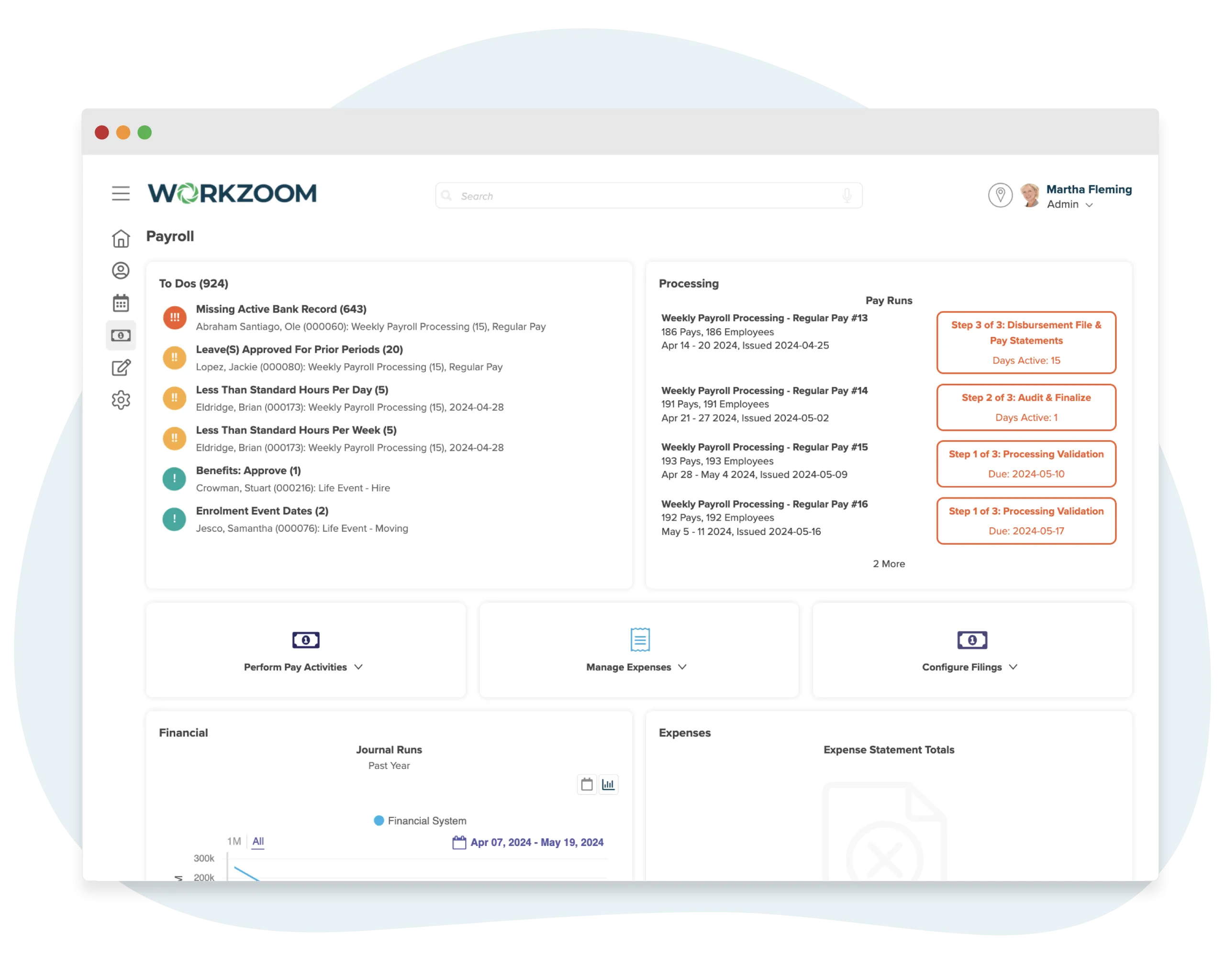
Statutory compliance for Canada, USA, and the Bahamas in one system
Tax rules change constantly. Workzoom keeps up so you don't have to. Canadian payroll calculates CPP, EI, federal and provincial taxes across every jurisdiction. US payroll handles federal, state, and local tax withholdings. Bahamas payroll automates NIB contributions. Government agency registrations, remittance filings, year-end statements (T4s, W-2s), and workers' compensation reporting are all managed from the same dashboard. Jamaica, Trinidad and Tobago, and Antigua and Barbuda payroll is coming in 2026.
- Canada CPP/EI/Tax
- USA Federal/State Tax
- Bahamas NIB
- Year-End Statements
Island Luck (850 employees, 60+ locations) runs 8 automated payrolls weekly with built-in NIB compliance across every gaming location in the Bahamas.
Read their storyBenefits administration with automated deductions that flow into payroll
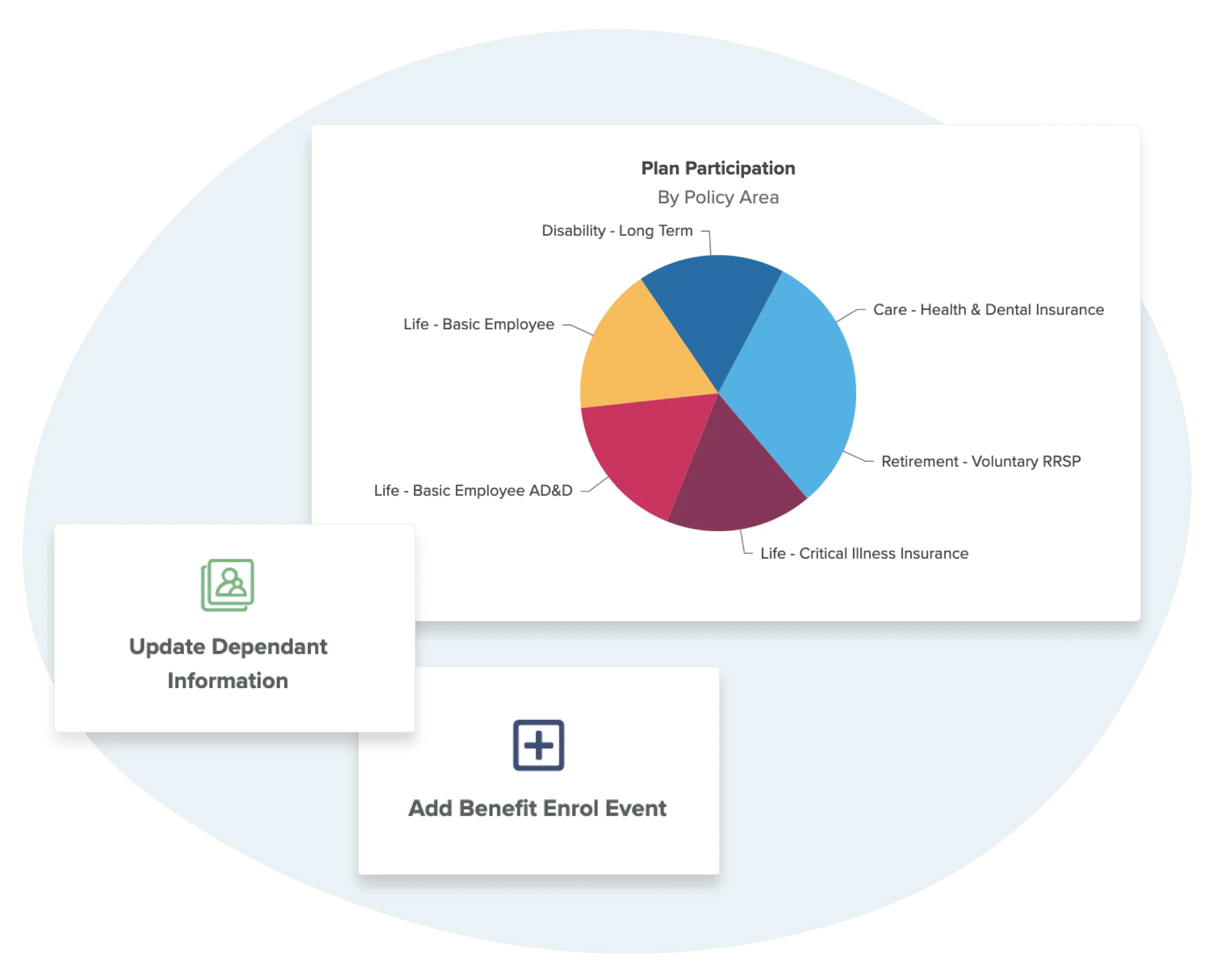
Define benefit plans for health insurance, dental, disability, life, AD&D, retirement, and any custom plan your organization offers. Employees enroll through self-service during open enrollment or when qualifying life events occur. The system calculates employer and employee contribution splits automatically, applies waiting periods, and feeds deduction amounts directly into the next pay run. No spreadsheets tracking who owes what. No manual deduction entry.
- Self-Service Enrollment
- Life Event Triggers
- Automated Deductions
- Carrier Management
When a new hire enrolls in benefits during Onboarding, their deductions appear in Payroll automatically. No forms passed between departments. No re-entry.
Expense management that feeds approved reimbursements into payroll
Employees submit expense claims, travel requests, and advance requests through self-service. Managers approve with full visibility into policy limits and spending patterns. Credit card transactions can be imported and reconciled. Approved reimbursements feed directly into the next pay run as a line item, so employees get paid back on their regular paycheque instead of waiting for a separate cheque run.
- Self-Service Submissions
- Travel & Advance Requests
- Credit Card Import
- Direct Payroll Feed
Standalone expense tools (Expensify, SAP Concur) require manual export and import into payroll. Workzoom's expenses module lives inside the payroll system, so approved claims become payroll line items without any manual transfer.
84 built-in payroll reports. Real-time, no assembly.
Every report pulls from live data. No exports from separate tools, no spreadsheet assembly. Because pay processing, benefits, expenses, and timekeeping share one database, your gross pay breakdowns, overtime costing, deduction summaries, and journal entries are always current.
Reports by module
Every report includes


See payroll processing in action.
Pick a time. We'll walk through the three-step pay run, automated tax calculations, benefits deductions, and how time data flows into payroll without a single CSV.
Cable Bahamas cut payroll from 5 days to 1.5. Island Luck runs 8 payrolls weekly across 60+ locations.
Frequently Asked Questions
How the Payroll Suite handles pay processing, benefits administration, expense management, and statutory compliance across countries.
-
Three modules that share a single employee record. Pay Processing handles the guided three-step workflow from data validation through disbursement. Benefits manages plan enrollment, eligibility rules, and carrier connections. Expenses covers submission, approval, and reimbursement of employee claims. Because all three share a database with HR and Workforce, time data, benefit deductions, and approved expenses flow into every pay run without exports or manual re-entry.
-
Every pay run follows three steps. Step 1: Processing Validation pulls in data from timekeeping, HR changes, and benefit enrollments, then flags exceptions for review. You see gross totals, deductions, net amounts, and clearing balances before anything is finalized. Step 2: Audit and Finalize breaks down earnings, pre-tax deductions, and statutory withholdings (CPP, EI, federal tax, NIB, NIS, or the equivalent for your jurisdiction) so you can audit every dollar. Once approved, the system generates bank transmission files. Step 3: Disbursement produces the EFT file, delivers pay statements to employee self-service portals, and closes the run. The entire process is guided, so administrators always know exactly where they are and what needs attention.
-
It is automatic. When employees clock in and out through any of Workzoom's clocking methods, those punches are processed by Timekeeping with your overtime rules, shift premiums, and rounding applied. Managers approve exceptions. Once approved, those hours are immediately available in Step 1 validation. No CSV exports, no file imports, no copying numbers between systems. This is the core advantage of running compensation and workforce management on the same platform.
-
Yes. When an employee enrolls in a benefit plan through the Benefits module or when eligibility changes due to a life event, the corresponding deductions are updated automatically. There is no need to manually adjust amounts, and there is no risk of the benefits system and compensation system falling out of sync. Employee and employer contribution splits, pre-tax or post-tax classification, and plan-specific rules are all managed in one place and reflected in every subsequent pay run.
-
Workzoom processes compensation in seven countries: Canada, the United States, the Bahamas, Jamaica, Trinidad and Tobago, Antigua and Barbuda, and the United Kingdom. Each country has its own statutory calculations built into the system.
For Canada, that includes CPP, EI, and federal and provincial income tax as administered by the CRA. For the United States, federal, state, and local withholdings per IRS requirements. For the Bahamas, National Insurance Board (NIB) contributions. For Jamaica, NIS, NHT, and Education Tax. Statutory rules are maintained by Workzoom and updated when legislation changes, so your team is not manually tracking rate adjustments or regulatory updates.
-
It depends on what you are replacing, but the gains are significant. Cable Bahamas reduced processing from 5 days to 1.5 days, a 70% reduction. Northern Sunrise County saw 40% faster processing and described it as the most accurate compensation the county has ever produced. Mid-Wilshire Health Care Center went from a fully manual, non-compliant system to complete automation in one month. The speed comes from eliminating manual data transfers. When time, benefits, and HR data already live in the same platform, the validation and audit steps take minutes instead of hours.
-
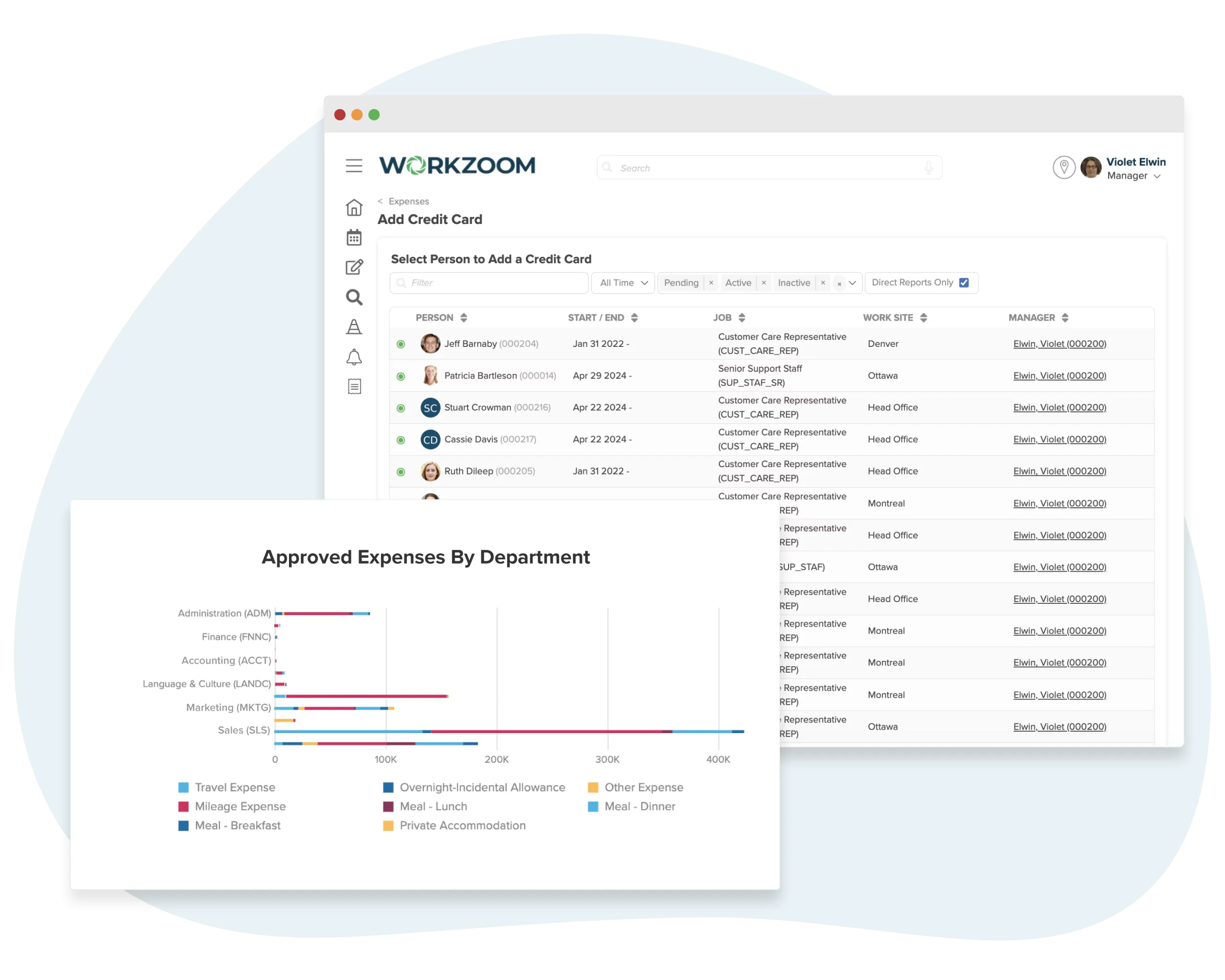
The Expenses module lets employees submit claims with receipts, categorize spending by type (travel, meals, mileage, accommodation, and other configurable categories), and route submissions through manager approval workflows. Approved claims can be reimbursed through the next pay run or tracked separately through accounts payable. The module also supports corporate credit card management, allowing administrators to assign cards to employees and reconcile spending against submitted claims. Expense reporting by department gives finance teams visibility into where money is going across the organization.
-
Yes. Workzoom regularly replaces standalone providers including ADP, Sage, Ceridian, and local applications. The transition typically takes 1 to 3 months depending on complexity. During implementation, Workzoom runs parallel pay runs alongside your current system to validate accuracy before you cut over.
The key difference is that Workzoom is not just a pay processing tool. It is the same platform where you manage HR records, time and attendance, performance, and benefits. So instead of replacing one disconnected tool with another, you are consolidating everything into one system. There are no setup fees and no long-term contracts. Workzoom operates on a month-to-month partnership.
-
The Payroll Suite is $4 per employee per month. It requires the HR Suite ($4 per employee per month, included with every subscription) because pay processing depends on the employee records and organizational structure that HR provides. If you also use the Workforce Suite for scheduling and timekeeping and the Talent Suite for performance and learning, the full platform caps at $16 per employee per month. There are no implementation fees, no per-run charges, and no hidden costs for tax filing or year-end processing. Pricing is the same regardless of which country you operate in.
-
Yes. The HR Suite is the foundation of the entire Workzoom platform and is included with every subscription. Pay processing needs employee records, banking information, tax details, job assignments, and compensation data to run accurately. All of that lives in the Personnel module within HR. This is by design. Having pay processing and HR on the same database is what eliminates the duplicate data entry, sync errors, and import failures that cause problems when these systems are separate.