
Workforce Suite

Schedule the work. Capture the time. Control the cost.

Four modules built on the same employee record as HR and Payroll. Schedule qualified staff, capture time through facial recognition, biometric, mobile, or web clocking, approve hours with exception-based workflows, and feed verified time directly into payroll without exports or imports.

workzoom.com / Workforce / Scheduling
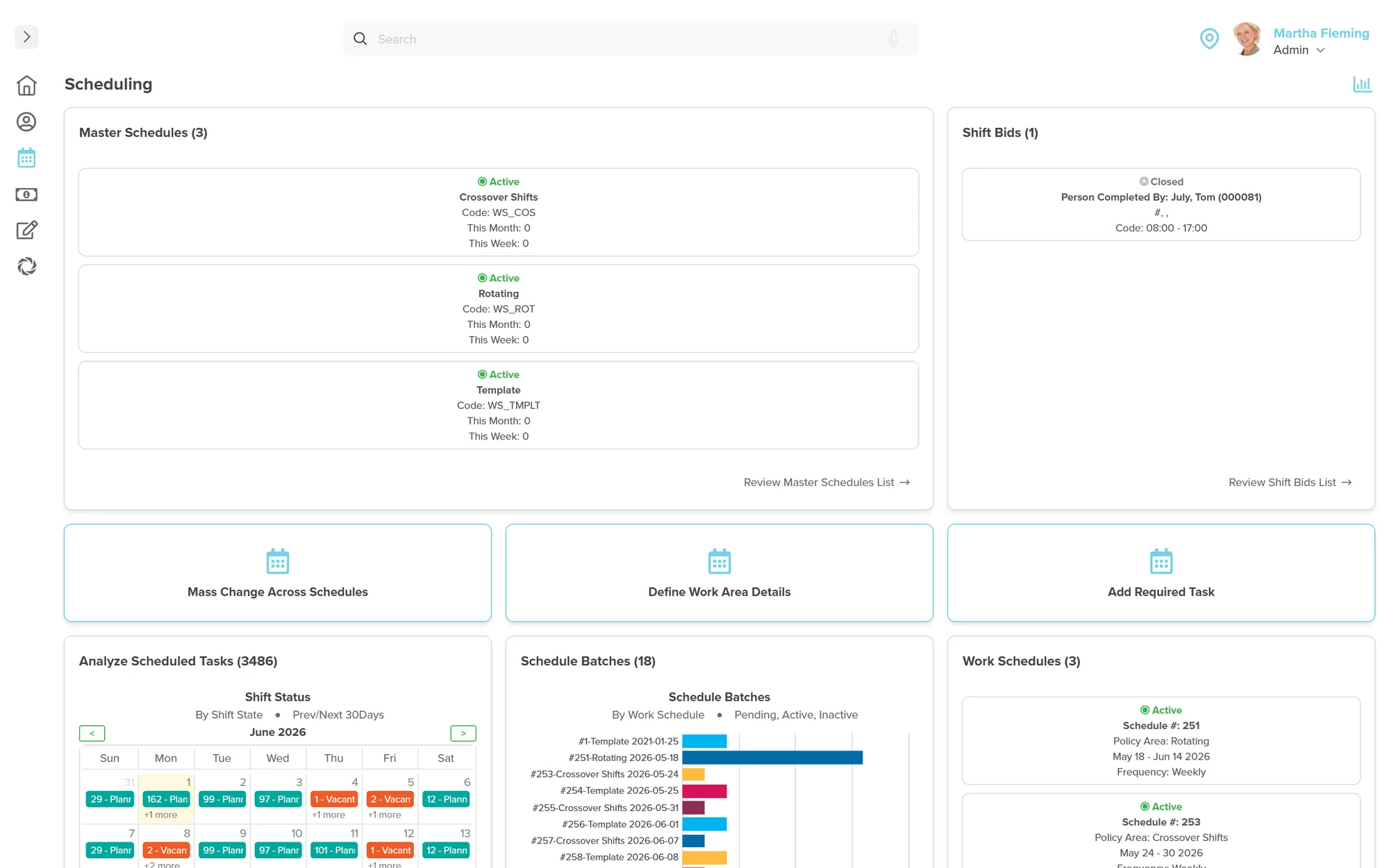
Workzoom workforce scheduling module showing shift assignments by person with job roles, shift times, and weekly calendar view
5Clocking Methods
4Workforce Modules
DirectPayroll Connection
7Countries

Trusted by teams running HR and payroll on Workzoom

From 50-employee nonprofits to 850-employee enterprises across 7 countries.

Workforce Suite

Time tracking and timesheet software that actually connects to payroll.

Schedules define the plan. Clocking captures the reality. Timekeeping reconciles the two into automated timesheets. Time Off manages exceptions. Approved timesheets flow directly into Payroll without CSV exports, manual imports, or re-entry.

Multiple time clocking methods included at no extra cost. Biometric hardware available from $1,195 USD. From $4 per employee per month.

Scheduling

Employee scheduling software that balances skills, availability, and compliance

Define shift requirements based on repeating patterns and generate schedules automatically on a set frequency. The system balances part-time versus full-time employees, general availability, approved time off, and required skills when filling vacancies. Adjust for unexpected absences in real-time by selecting from a dynamic list of qualified, available staff. Schedules sync to employee calendars, feed directly into Timekeeping for comparison, and create the baseline that Payroll uses for overtime and premium calculations.

  • Auto-Generated Schedules
  • Qualified Staff Matching
  • Real-Time Vacancy Filling
  • Crossover Shift Support
Explore Scheduling

Island Luck (850 employees, 60+ locations) replaced printed wall schedules with automated scheduling across all gaming locations in the Bahamas.

Read their story
Workzoom employee scheduling software showing shift calendar with automated schedule generation, vacancy filling, and qualified staff matching
Clocking

Six employee time clocking methods. One source of truth.

However your people work, Workzoom captures their time. Mobile apps with GPS geo-fencing for field workers. Facial recognition terminals for high-security facilities. Fingerprint biometrics for manufacturing floors. Kiosk mode on any tablet. Web clocking at a desk. Manual timesheets for salaried staff. Every method feeds the same Timekeeping engine. No CSV exports. No data re-entry. Clock punches populate timesheets automatically and route to supervisors for exception-based approval.

  • Facial Recognition
  • Mobile GPS Geo-fencing
  • Fingerprint Biometric
  • Kiosk & Web Clocking
Explore Clocking Methods

Island Luck deployed facial recognition clocks across 60+ locations, eliminating buddy punching and feeding time data directly into automated payroll.

Read their story

Workzoom offers six time clocking methods: Mobile App (iOS and Android, included), GPS Geo-fencing (location verified, included), Facial Recognition (from $1,495 USD), Fingerprint Biometric (from $1,195 USD), Kiosk Mode (any tablet with PIN protection, included), and Web Clocking (browser-based, included). Four software methods are included at no extra cost. Biometric hardware achieves 99.8% accuracy with sub-second clock-in times.

Timekeeping

Automated timesheets and time tracking that feed directly into payroll

Timesheets are populated automatically from clock punches or schedules. Supervisors review exceptions rather than every timesheet, cutting approval time dramatically. Rules for rounding, thresholds, shift premiums, daily/weekly/period overtime, and break compliance are applied automatically. Approved timesheets flow directly into Pay Processing without CSV exports or manual imports. Compare time worked to time scheduled in real-time to catch discrepancies before they become payroll errors.

  • Automated Timesheets
  • Exception-Based Approvals
  • Auto Overtime Calculation
  • Shift Premium Rules
  • Timesheet-to-Payroll Feed
Explore Timekeeping

Cable Bahamas (850 employees) eliminated manual timesheets entirely, contributing to a 70% reduction in payroll processing time from 5 days to 1.5 days.

Read their story
Workzoom automated timesheet software showing timesheet approvals, overtime calculation rules, and direct payroll integration
Time Off

Leave management software with automated accruals and real-time balances

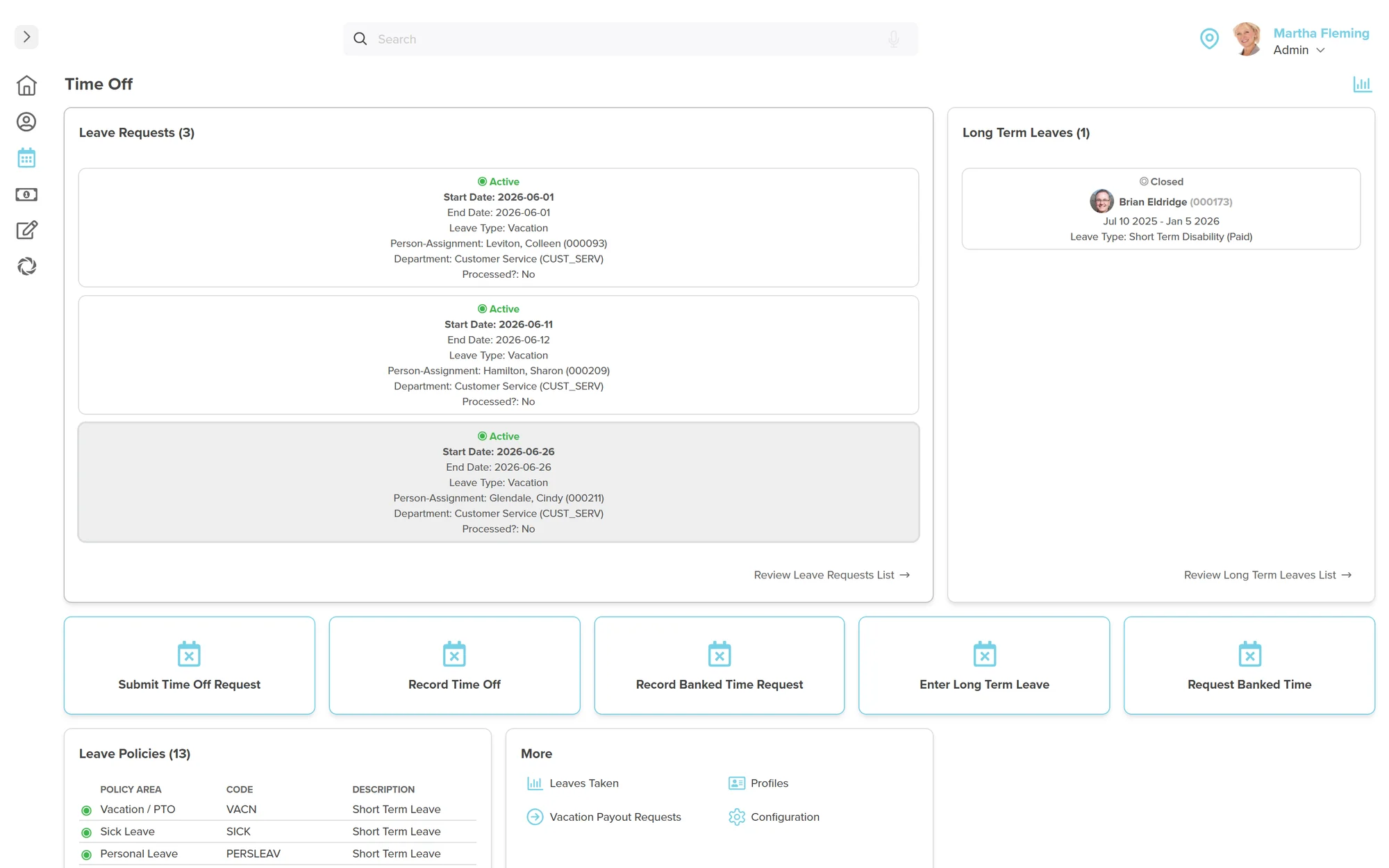
Create unlimited leave policies covering vacation, PTO, sick, personal, bereavement, jury duty, and any other type your organization needs. Rules for entitlement, accrual rates, carry-over limits, and eligibility criteria are applied automatically. Employees request leave through self-service, managers approve with full visibility into team calendars and staffing impact, and approved leaves create vacancies in Scheduling automatically. Balances update in real-time. Denied requests are tracked so HR can monitor fairness across managers.

  • Unlimited Leave Policies
  • Automated Accruals
  • Self-Service Requests
  • Team Calendar Visibility
Explore Time Off

Northern Sunrise County achieved the most accurate payroll the county has ever seen with connected time off, timekeeping, and payroll in one system.

See client stories
Workzoom leave management software showing time off request calendar, automated accrual tracking, real-time balances, and manager approval workflow
Reporting

75 built-in workforce reports. Real-time, no assembly.

Every report pulls from live data. No exports from separate tools, no spreadsheet assembly. Because scheduling, clocking, timekeeping, and leave management share one database, your overtime trends, leave balances, and clocking variances are always current.

Reports by module

16
Time Clocking Punches, badges, variances
22
Leave Management Balances, accruals, patterns
13
Work Scheduling Shifts, coverage, tasks
24
Timekeeping Overtime, hours, variances

Every report includes

Filterable Visual Charts Drag-and-Drop Editor Summary + Detail Custom Columns Date Range Filtering
Export as PDF DOC Excel
workzoom.net / Workforce / Reports / Scheduled Punches
Workzoom scheduled punches report showing clock in and clock out counts by group including warehouse shifts, customer care, plant shifts, and support teams
Sample reports from the 75 included
Employee & Manager Self-Service

Your managers shouldn't need HR to manage their team's time.

Employees see their schedule, request time off, bid on open shifts, and track balances without calling anyone. Managers review daily exceptions, approve time, fill vacancies, and audit discrepancies directly from their dashboard. HR stays focused on strategy.

Employees own their schedule, time, and leave

Sara sees her full monthly schedule, upcoming shifts, available shift bids, PTO balances, leave history, and time worked — all from her self-service portal. She submits time off requests, bids on open shifts, requests banked time, and tracks her hours without going through HR or waiting for a manager to look something up.

workzoom.net / Schedule
Workzoom employee self-service scheduling portal showing February 2026 monthly shift calendar with 8am to 4pm Customer Care Representative shifts, 488 total scheduled hours across 61 shifts, Update Work Preferences and Request Banked Time actions

Shift Calendar & Schedule

Monthly and weekly calendar views showing all assigned shifts with times, roles, and locations. Toggle between views, navigate months, and see upcoming schedule at a glance. Group relationships and template entries visible for context.

Available Shift Bidding

Open shifts posted with date, time, role, location, and required skills. Employees bid directly from the dashboard. The system shows whether you're already scheduled for that time, preventing conflicts before they happen.

Time Off Balances & Requests

Real-time visibility into Vacation/PTO available (carry-over + earned), sick leave taken, and time-off-in-lieu banks. Submit requests, withdraw pending requests, enter long-term leave, and request vacation payouts — all self-service.

Leave History & Tracking

Full dated history of all leaves: approved, denied, taken, or withdrawn. See leave type, basis (day/hours), start and end times. Request history and reporting links for personal leave analytics and planning.

Time Worked & Timesheets

View submitted timesheets with regular hours, leave hours, overtime, and particulars broken out by pay period. Filter by date range and status. Time worked flows directly into payroll without manual exports or re-entry.

Work Preferences & Banked Time

Update work preferences and availability. Request banked time usage with proper approval. Bank time entries and vacation payout requests accessible from the Time Off dashboard. Employees control their own scheduling preferences.

Time Off Dashboard Employee
Workzoom employee time off dashboard showing Vacation PTO Available with 17 days from 7 carry over plus 10 earned, Sick Leave Taken at 0 days, Time Off in Lieu at 0 hours, and five self-service actions including Submit Time Off Request, Withdraw Leave Request, Enter Long Term Leave, Request Vacation Payout, and Request Banked Time
Time Worked Employee
Workzoom employee timesheet view showing active timesheet for February 8 to 14 2026 with 29.75 regular hours, 0.00 leave time, 0.25 overtime, daily summary breaking down Holiday Hours Worked, In Early Paid, Meal Deduction, Missing Punch, Out Late Paid, Overtime Daily, Regular Hours, and Statutory Holiday by day

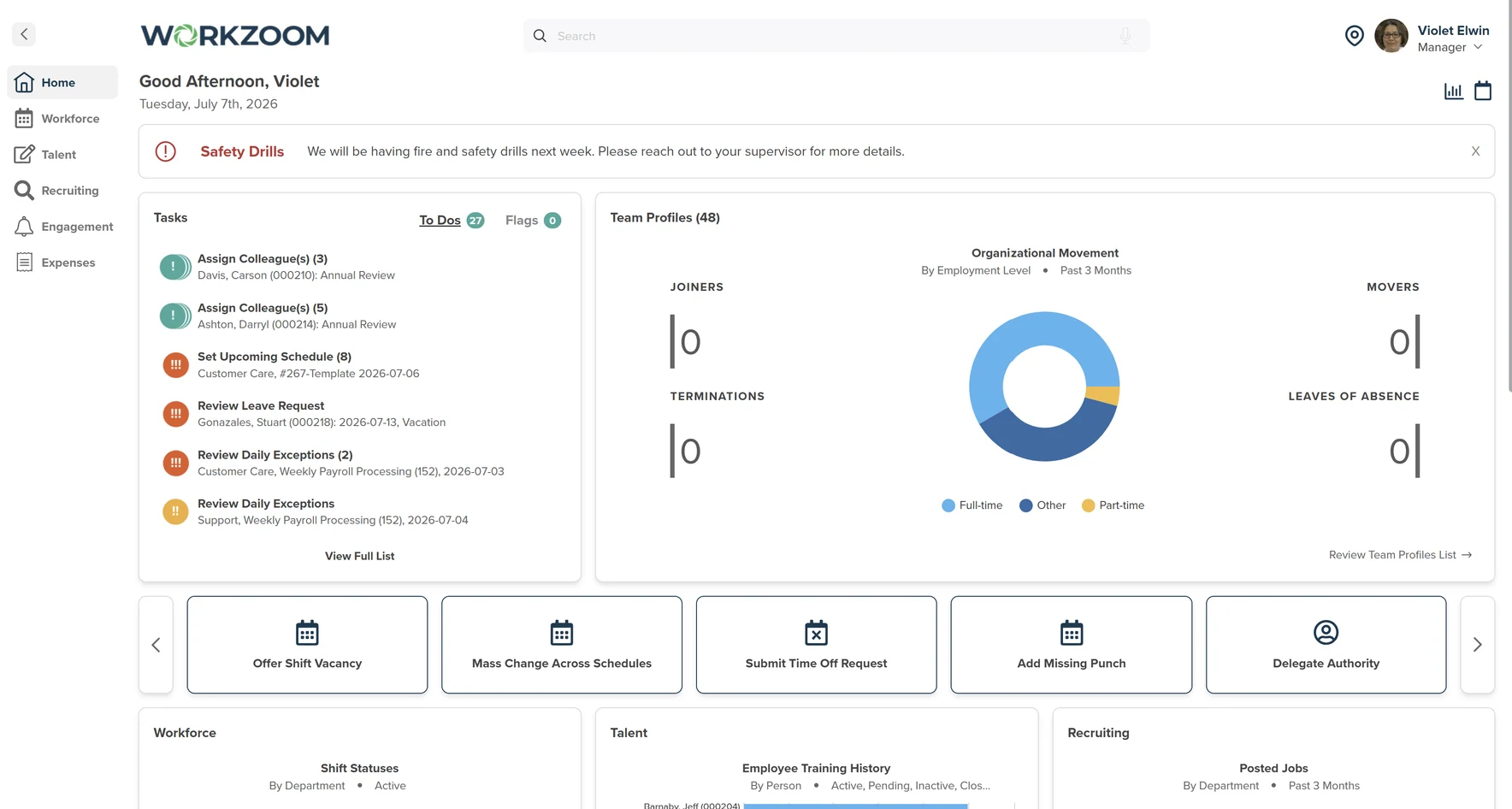
Manager workforce dashboard with full team oversight

Violet sees her entire team's workforce data at a glance: scheduling coverage, shift statuses by department, clocking trends over 30 days, and time off occurrences on a calendar. She drills into the scheduling dashboard to manage the master schedule, review shift bids, and analyze scheduled tasks by person. Daily exception reviews surface missing punches and extra time for quick resolution.

workzoom.net / My Team / Workforce
Workzoom manager workforce dashboard showing Scheduling shift coverage across 5 weeks with 153 to 155 planned shifts, Timekeeping clocking date trends chart from January to February 2026, and Time Off occurrences calendar for February 2026 with vacation entries

Master Schedule Management

View by person schedule, job schedule, or repeating schedule. Weekly grid showing every team member's assigned shifts with start/end times. Add shifts, mass change across schedules, define work area details, and manage shift bids from one dashboard.

Daily Exception Review

Review your team's time worked, pre/post-shift variances, missing punches, overtime, and early/late clock-ins all in one task. Approve extra time, assign leave types for missing work time, and add missing punches. Resolve the full batch and mark complete.

Shift Coverage Analytics

Weekly breakdown of planned, unplanned, substitution, and vacant shifts across upcoming weeks. Clocking date trend charts show 30-day patterns. Drill from the overview into the operations dashboard or timekeeping dashboard for detailed analysis.

Extra Time Audit & Approval

See every early clock-in, late clock-out, and variance from scheduled time with exact minutes. Approve or deny extra time per employee with one click. Particulars field for notes. Variance thresholds are configurable by your organization's policies.

Team Time Off Calendar

Calendar view of team time off occurrences by start date. See vacation entries, leaves, and absences across the month. Make informed approval decisions based on who else is already off. Drill into the time off dashboard for detailed absence analytics.

Missing Punch Resolution

Employees who missed a clock-in or clock-out surface with their shift details, and managers enter the missing times directly. Assign leave types (sick, personal, leave without pay, vacation) for work time gaps. Everything is tracked and auditable.

Scheduling Dashboard Manager
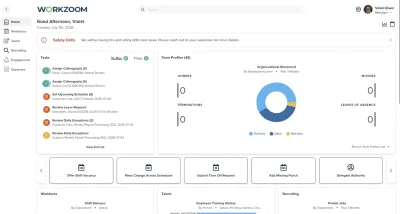
Workzoom manager master scheduling dashboard showing Person Schedule view with planned, unplanned, substitution, and vacant shifts across 5 weeks, and scheduled tasks grid for 7 employees with Customer Care Representative assignments Monday February 9 through Sunday February 15 2026
Review Daily Exceptions Manager
Workzoom manager daily exception review for Support weekly payroll processing on February 9 2026 showing Review Missing Punches for 3 employees with shift details and leave type options, Audit Extra Time Worked with 15 minutes early and 30 minutes late variances with approval buttons, and Create Missing Work Time Leaves with leave type assignment
See it live

See scheduling and time tracking in action.

Pick a time. We'll walk through shift scheduling, time clocking options, exception-based approvals, and how approved hours flow straight into payroll.

No commitment
30 minutes
No CSV exports ever again

Trusted by Island Luck (60+ locations), Cable Bahamas, County of Renfrew, and more.

Common Questions

Frequently Asked Questions

How the Workforce Suite handles scheduling, time capture, leave management, and payroll integration.

  • The Workforce Suite covers four areas: Scheduling for building and managing work plans, Clocking for capturing time at the source through biometric, mobile, web, or kiosk devices, Timekeeping for processing and approving hours worked, and Time Off for managing leave requests and accrual policies. All four share a single employee record with the rest of the Workzoom platform, so approved time feeds directly into Payroll without exports or re-entry.

  • It is automatic. When an employee clocks in and out, those punches are recorded and compared against their schedule. The Timekeeping module applies your rounding rules, overtime calculations, and shift premiums. Managers review and approve exceptions. Once approved, the hours are immediately available in Payroll for processing. No CSV exports, no file imports, no manual re-entry. The data lives in one system the entire time.

  • Workzoom supports seven clocking methods to fit different work environments: mobile app with GPS verification for field and remote workers, web clocking for desk-based staff, facial recognition terminals for high-traffic locations, biometric fingerprint readers, proximity card readers, shared kiosks for common areas, and manual timesheets for salaried employees or situations where clocking devices are not practical. You can mix and match methods across locations and departments. All punches feed into the same Timekeeping system regardless of how they were captured.

  • Scheduling uses the organizational structure defined in Organization to build work plans by department, location, or cost center. You define shift templates, map out work requirements, and assign qualified staff based on skills, certifications, and availability. When someone calls in sick or a shift needs coverage, the system identifies available, qualified replacements. Each location manages its own schedules while rolling up to centralized reporting. Scheduled hours also become the baseline that Timekeeping compares actual punches against, so exceptions are flagged automatically.

  • Yes. Timekeeping lets you define rules for daily overtime, weekly overtime, double time, and shift premiums based on specific times of day (such as afternoon or night shift differentials). You can also set rules for statutory holiday pay, weekend premiums, and split shifts. These rules apply automatically when time is processed, so managers are not calculating overtime by hand. The rules follow the employment standards for your jurisdiction, whether that is Canadian federal or provincial overtime rules or US state-level requirements like California daily overtime.

  • Time Off lets you configure unlimited leave types (vacation, sick, personal, bereavement, jury duty, parental, or any custom type) with their own accrual rules, carry-over limits, waiting periods, and approval workflows. Accruals can be based on hours worked, pay periods, anniversary dates, or calendar year. Employees see their real-time balances and submit requests through self-service. Managers approve or deny with full visibility into team availability. Approved leave automatically appears on schedules and deducts from balances, and the corresponding hours flow to Payroll without any manual tracking.

  • Not necessarily. Workzoom supports exception-based approvals, which means the system compares actual clock-in and clock-out times to the scheduled hours and only flags the discrepancies. If someone clocked in on time and left on time, no action is needed. Managers only review the exceptions: missed punches, early departures, unscheduled overtime, or hours that do not match the plan. This saves significant time in organizations with large hourly workforces where reviewing every individual timesheet is impractical.

  • The Workzoom mobile app (available on iOS and Android) lets employees clock in and out from their phone with GPS location verification. Geo-fencing ensures punches are only accepted when the employee is within a defined radius of their worksite. For organizations in construction, home care, or field services where employees move between locations throughout the day, punches can capture the specific site they are working at. All mobile punches flow into the same Timekeeping system as on-site terminal punches.

  • Yes, the HR Suite is included with every Workzoom subscription because it creates the employee records and organizational structure that the Workforce Suite depends on. Scheduling needs to know which employees are assigned to which departments and locations. Timekeeping needs to know their pay rates and employment rules. Time Off needs to know hire dates for accrual calculations. The HR Suite at $4 per employee per month is the foundation, and the Workforce Suite adds another $4.

  • In most cases, yes. Workzoom offers its own range of time clocking hardware including facial recognition terminals, biometric fingerprint readers, and proximity card readers that integrate directly with the platform. There is no middleware, no third-party sync, and no CSV uploads between the clock and your timekeeping system. For organizations currently using standalone time clocks from vendors like ADP, Kronos, or Fingercheck, Workzoom can replace both the hardware and the software with a single connected solution. If your existing hardware uses standard protocols, compatibility can be assessed during your discovery call.